 by Don'tForgetDad Team
That quiet worry in the back of your mind, "Did Mom take her heart medication this morning?" or "I hope Dad remembered his afternoon pills," is a feeling many of us who care for loved ones understand. Juggling prescriptions, complex schedules, and refills can feel like a full-time job, adding a layer of stress to an already emotional journey. It is not just about remembering a pill; it is about providing consistent, loving care, even when you cannot be there in person.
Thankfully, technology can offer a helping hand, serving not as a cold, clinical tool, but as a warm, supportive partner in care. The right app for tracking medications can transform chaos into clarity, anxiety into reassurance, and a solitary responsibility into a shared family effort. It can be the difference between a missed dose and a moment of connection when a notification confirms everything is on track.
This guide is designed to help you navigate the options with a sense of calm and confidence. We will walk you through the most effective and user-friendly apps available today, with a special focus on the needs of families and seniors. Each review includes a detailed breakdown of its most important features, real-world examples of how it can be used, and an honest look at its pros and cons. To make your decision easier, we have included screenshots and direct links for every tool discussed. Our goal is to help you find the perfect fit for your family, so you can bring a little more peace of mind to everyone's day.
1. Don’tForgetDad
Best for: Collaborative family care and shared peace of mind
Don’tForgetDad feels less like a medical app and more like a helping hand for the whole family. It was created with the understanding that caregiving is a team sport. It’s built for families who share the responsibility of caring for a loved one, turning what can be a lonely task into a connected, supportive effort. Think of it as a central hub where adult children, siblings, and even trusted neighbors can all stay on the same page. Its design is rooted in simplicity and reassurance, making it an easy and welcoming choice for everyone, even if they aren't tech-savvy.
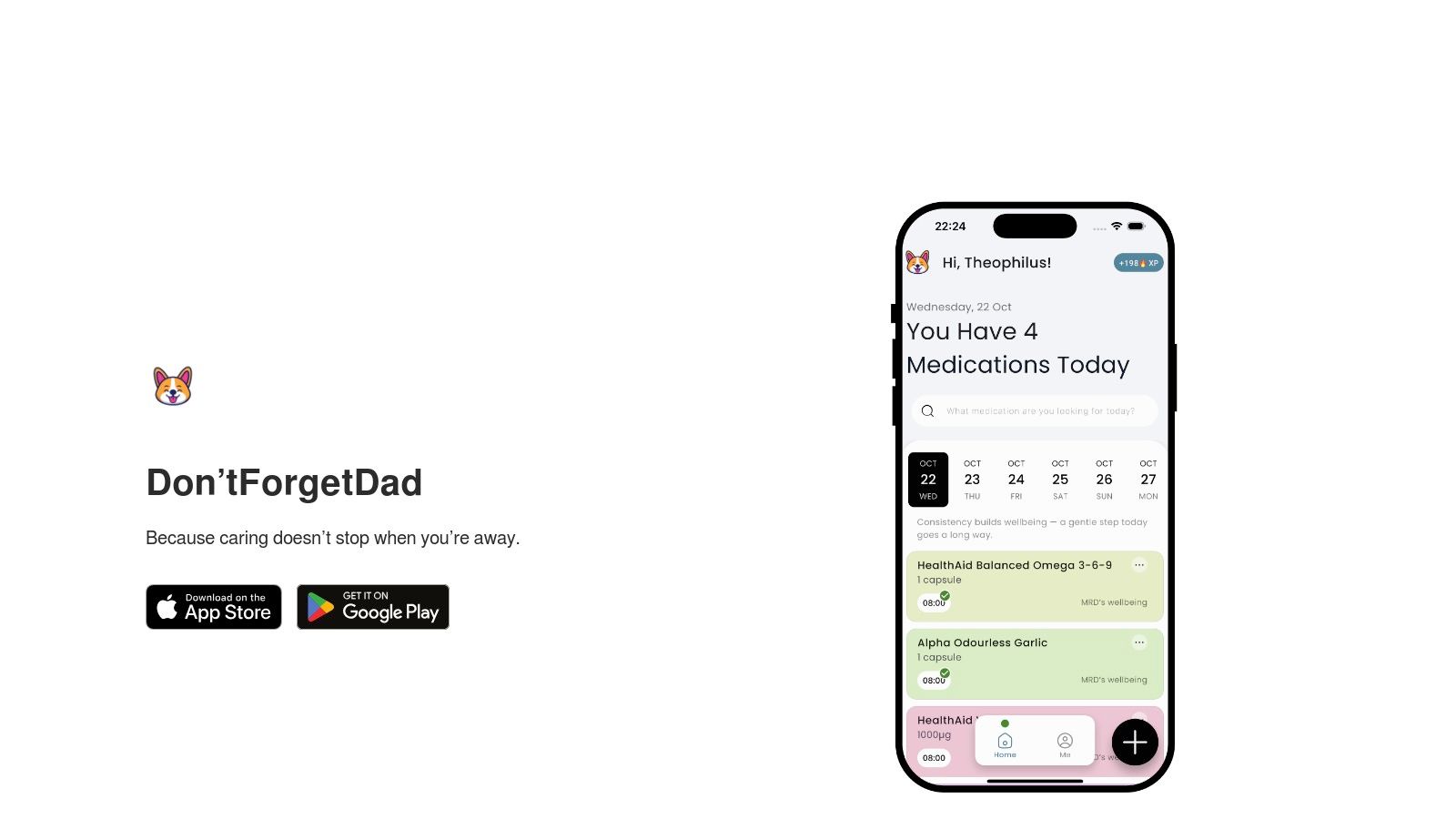
The platform’s standout feature is how it brings everyone together securely. You can create a profile for your parent and then share unique join codes to invite others into the care circle. This simple but powerful system means everyone from a long-distance daughter to a local friend who helps out is in the loop. The result is a clear, shared view of the medication schedule, replacing the confusion of group texts or easily missed emails with quiet confidence.
Key Strengths and Use Cases
Don’tForgetDad truly shines in real-world scenarios where multiple people are pitching in. For example, imagine you live in another state but your brother lives near your mom. You can both see her medication schedule. The app sends a gentle reminder to your mom's phone. If she misses a dose, both you and your brother get a notification. This allows your brother to follow up with a quick, loving call. This turns that feeling of helpless worry into a clear, caring action.
Its core strengths include:
- Shared Responsibility: The join-code system makes it easy to add or remove caregivers, ensuring the right people have access when they need it.
- Actionable Missed-Dose Alerts: Instead of just a cold notification, the alert goes to the entire care team, encouraging a warm, immediate follow-up.
- User-Friendly Interface: The design is intentionally straightforward and non-clinical, reducing stress for seniors who may be wary of complex technology.
- Privacy-First Approach: The platform is built around trust, with clear policies focused on protecting your family's sensitive health information.
Considerations and Practical Tips
While Don’tForgetDad is an exceptional tool for coordination, it's important to remember it’s a reminder and communication partner, not a clinical monitoring system. It should complement, not replace, guidance from doctors and pharmacists. Pricing and subscription details are not available on the website, so you will need to check the app store listing for cost information.
For the best experience, start by inviting just one or two key family members to get comfortable. Then, gradually add others to the circle as needed. This simple tool can significantly reduce the mental load of caregiving, letting you focus on what truly matters: your loved one's well-being.
Website: https://dontforgetdad.com
2. Medisafe
Best for: Detailed tracking and powerful safety features
Medisafe is one of the most popular and feature-rich options when you need an app for tracking medications. It’s designed not just for one person but for the entire care circle, making it a powerful tool for families looking after a loved one. Its greatest strength is its robust reminder system and a huge medication database that can even warn you about potential drug interactions.
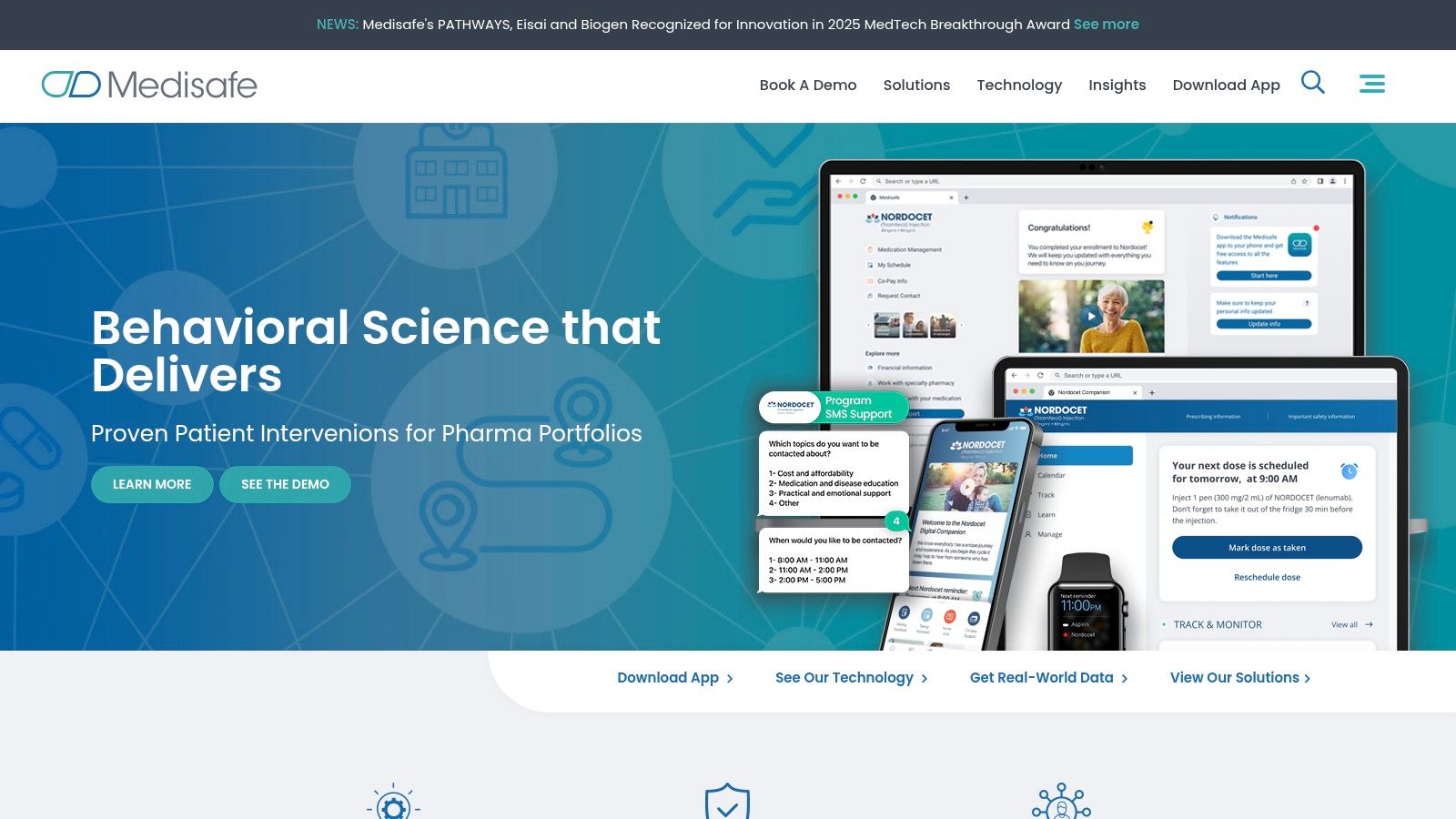
For a family caregiver, Medisafe’s "Medfriend" feature is a true game-changer. You can link your app with your parent’s, receiving alerts if they miss a dose. This creates a supportive safety net without feeling intrusive. The app also creates shareable progress reports, which are incredibly helpful for doctor’s appointments. They provide a clear, accurate history of how things are going, so you can have more productive conversations. This level of detail helps families stay on the same page, a topic we often discuss. You can explore a deeper dive into how Medisafe can support your family's caregiving journey on our blog, where we offer insights and real-world tips for using Medisafe.
Key Features and Use Cases
- Caregiver Sync (Medfriend): A daughter living in another state can set up Medisafe for her father and add herself as a Medfriend. If he forgets his morning blood pressure medication, she receives a notification and can give him a gentle call.
- Interaction Warnings: Imagine the doctor prescribes a temporary antibiotic for your mom. When you add it to the app, it can flag a potential interaction with her existing heart medication, prompting a quick, reassuring call to the pharmacist.
- Time Zone–Aware Reminders: This is perfect for seniors who travel or families coordinating across different states. The reminders automatically adjust, ensuring doses are never missed due to time changes.
While the free version is quite capable, many advanced features, like unlimited Medfriends, require a Premium subscription. Some users find the interface a bit busy, but its reliability and comprehensive tools make it a top choice.
| Feature Highlights | Assessment |
|---|---|
| Ease of Use | Mostly intuitive, though can feel cluttered at times. |
| Caregiver Tools | Excellent. Medfriend sync and shareable reports are standout features. |
| Cost | Free with a robust Premium subscription ($4.99/mo or $39.99/yr). |
| Privacy | Strong privacy policy; user data is not sold to third parties. |
Website: https://www.medisafe.com
3. MyTherapy
Best for: An all-in-one health journal
MyTherapy sees itself as more than just an app for tracking medications; it's a complete health journal. It combines medication and vitamin reminders with detailed tracking for symptoms, measurements like blood pressure, and even physical activity. Its standout feature is the ability to gather all this information into a clear, printable health report, making it incredibly valuable for sharing a complete picture with doctors.
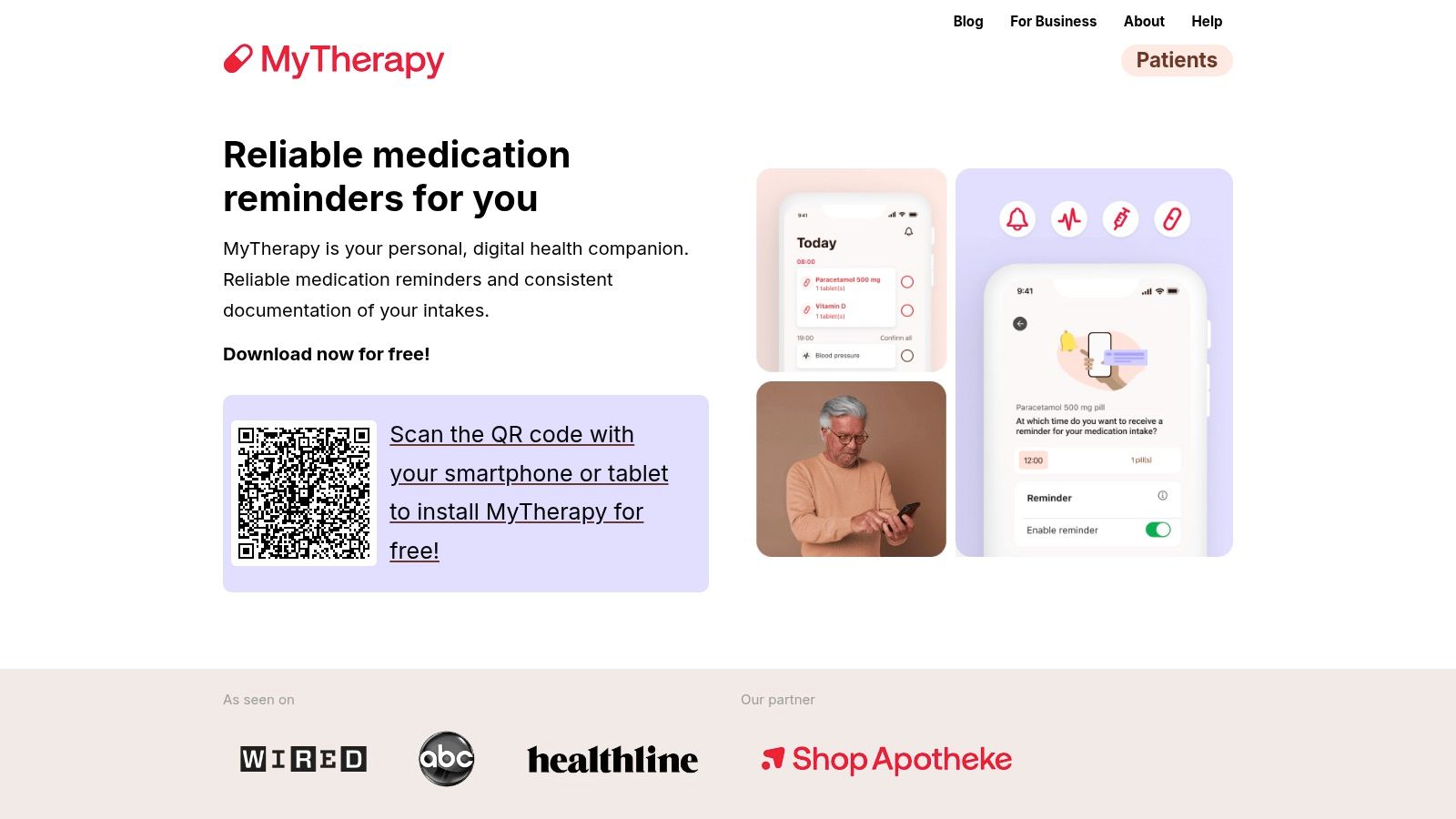
This holistic approach is especially helpful when managing a long-term condition. For a caregiver helping a parent with diabetes, you can track their medication alongside their daily glucose readings and mood. This allows you to spot connections you might otherwise miss, such as how a certain medication impacts their energy levels. The app also emphasizes strong privacy and data security, offering peace of mind for families handling sensitive health information.
Key Features and Use Cases
- Integrated Health Journal: A son helping his mother manage her arthritis can track her pain levels, daily exercises, and medication intake all in one place. The monthly report can then clearly show her doctor how the treatment plan is affecting her day-to-day life.
- Comprehensive Reminders: The app can be set up for pills, injections, vitamins, and even recurring medical appointments, providing a single, trusted source for all health-related alerts.
- Clinician-Ready PDF Reports: You can generate a professional, easy-to-read summary of medications, symptom logs, and measurements. This saves time and ensures nothing important is forgotten during a doctor’s visit.
MyTherapy’s main features are completely free, making it a very accessible option. While it doesn't have the direct caregiver-syncing feature of some other apps, its powerful reporting provides a different kind of support for staying coordinated and informed.
| Feature Highlights | Assessment |
|---|---|
| Ease of Use | Clean and straightforward interface, easy to navigate. |
| Caregiver Tools | Good. While no direct sync, the printable reports are excellent for sharing. |
| Cost | Free. The app is supported by its pharmaceutical partners. |
| Privacy | Excellent. High security standards (ISO certified) and a clear privacy policy. |
Website: https://www.mytherapyapp.com
4. Dosecast (Montuno)
Best for: Handling complex and flexible schedules
Dosecast is a long-standing and reliable app for tracking medications that truly excels in one key area: scheduling flexibility. It's incredibly robust for managing complex or unusual medication routines that other apps might struggle with. This makes it a powerful choice for families dealing with post-surgery care, schedules where doses are gradually reduced, or "as-needed" medications.
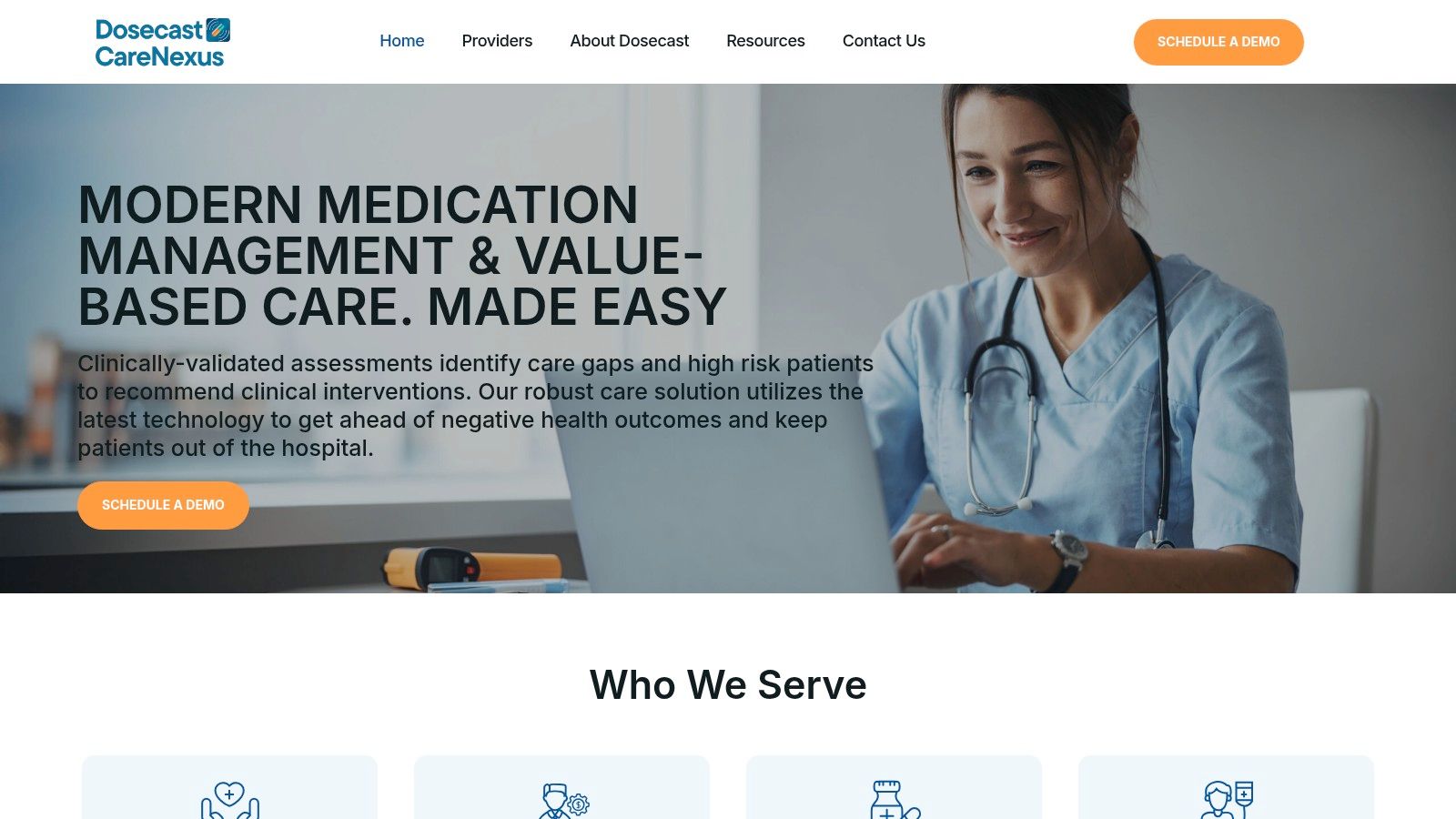
For caregivers, the Pro version's CloudSync feature is a huge help. It allows you to manage a parent’s medication schedule from your own phone, and the changes instantly appear on their device, no matter where you are. The app’s reminders are also uniquely designed to be postpone-able, allowing a user to "snooze" an alert for a bit without marking it as missed. This small feature can reduce frustration for a parent who might be busy when the first reminder goes off, giving them a gentle nudge later.
Key Features and Use Cases
- Flexible Scheduling: Imagine a son helping his father manage a complex post-surgery pain medication plan that includes doses "every 6 hours as needed." Dosecast’s flexible setting allows them to track these doses accurately without creating a rigid, frustrating schedule.
- Multi-Person Profiles (Pro): A wife can manage medications for both herself and her husband on one account. She can easily switch between their profiles to log doses, check their history, and manage refill alerts separately.
- Quantity Tracking & Refill Alerts: The app can track the number of pills left in each bottle and alert you when it’s time to call the pharmacy, preventing those last-minute, stressful trips.
While its interface may feel more functional than fancy, Dosecast’s strength is its precision and reliability. The most critical caregiver features are part of the Pro subscription, and its drug database is currently limited to the US.
| Feature Highlights | Assessment |
|---|---|
| Ease of Use | Simple and straightforward, but less visually modern than some rivals. |
| Caregiver Tools | Good. Multi-person profiles and CloudSync in the Pro version are very effective. |
| Cost | Free version available; Pro CloudSync is $2.99/mo or $29.99/yr. |
| Privacy | Clear privacy policy; has an enterprise background with Montuno Health. |
Website: https://dosecast.com
5. CareClinic
Best for: Seeing the big picture of your loved one's health
CareClinic is more than just an app for tracking medications; it's a comprehensive health diary. This platform is ideal for caregivers who need to monitor not just pills, but the entire health picture of a loved one, from symptoms and mood to nutrition and vital signs. Its strength lies in connecting the dots between taking medication and overall wellness, offering a holistic view that is invaluable for managing long-term conditions.
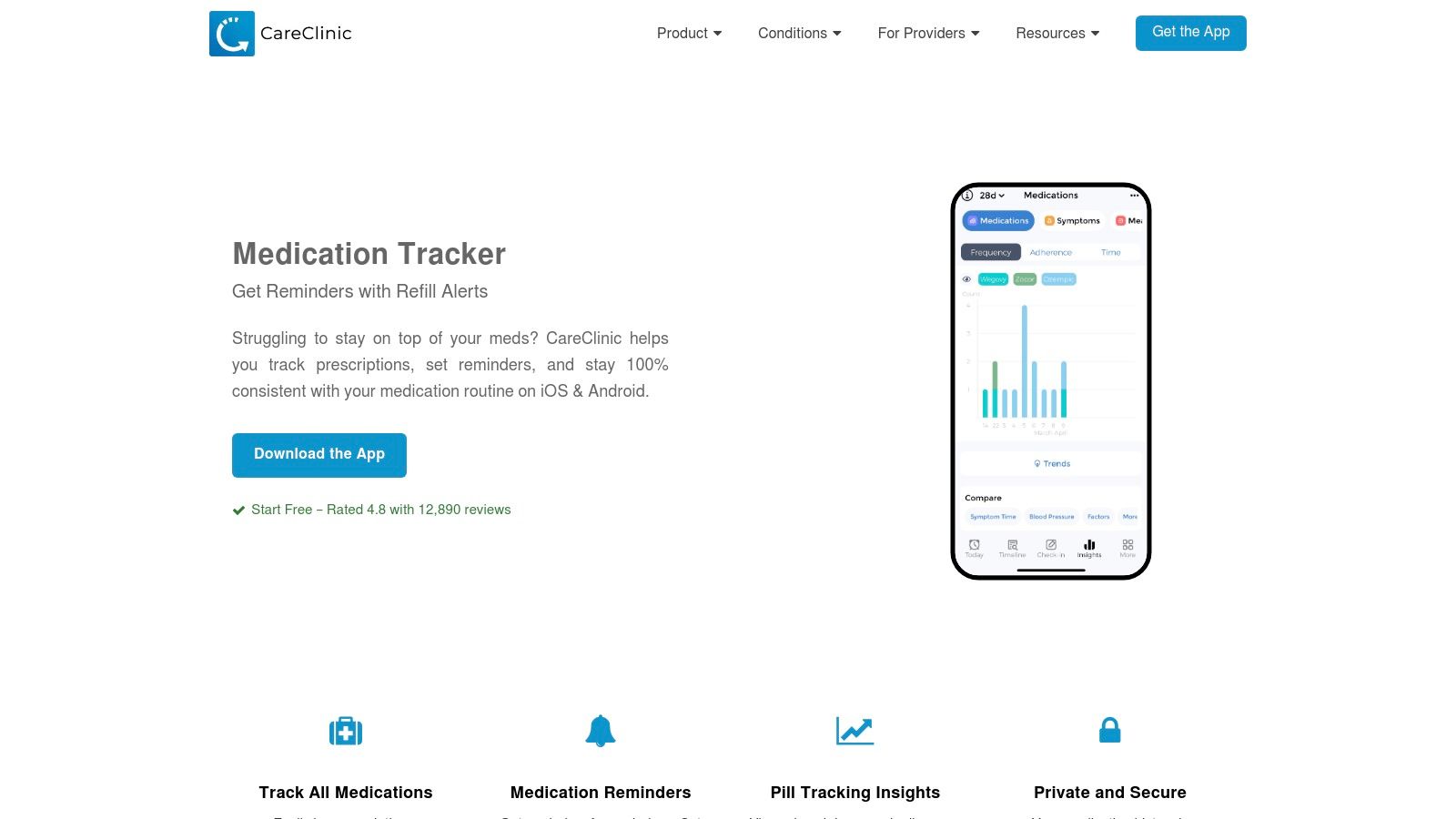
For a caregiver managing a parent with a complex condition like diabetes or heart disease, CareClinic’s all-in-one approach is a huge help. You can log medication intake alongside daily blood sugar readings, blood pressure, and even notes on their energy levels. Over time, the app helps you see connections, providing data-rich reports that can transform conversations with doctors. This integrated system allows you to build a detailed health story, making you a more informed and effective advocate for your parent's care.
Key Features and Use Cases
- Symptom Correlation: Your father starts a new medication and reports feeling dizzy. You can log the medication, the time he takes it, and his dizziness episodes. The app can help you see if these events are connected, giving you a concrete data point to discuss with his doctor.
- Integrated Health Tracking: For a mother managing arthritis, you can track her pain medication, daily physical therapy exercises, and mood all in one place. This provides a clear overview of which treatments are most effective for her.
- Comprehensive Reporting: Before a specialist appointment, you can generate a single report that includes medication adherence, recent vital signs, and a log of side effects, ensuring the doctor has a complete and accurate history.
While its broad functionality is a major advantage, many of the advanced features are part of a premium subscription. Some users have noted that the push for paid upgrades can feel frequent, but the free version still provides a solid foundation for basic tracking.
| Feature Highlights | Assessment |
|---|---|
| Ease of Use | Simple to navigate, though the sheer number of features may be overwhelming for some. |
| Caregiver Tools | Good. Dependent profiles and exportable reports are very useful for care management. |
| Cost | Free version available; Premium subscription unlocks full functionality ($9.99/mo or $59.99/yr). |
| Privacy | Developer notes adherence to HIPAA/PIPEDA, offering a higher level of privacy assurance. |
Website: https://careclinic.io/pill-reminder/
6. EveryDose
Best for: A simple, friendly, and modern experience
EveryDose feels like a clean, user-friendly app for tracking medications that focuses on simplicity without cutting corners. It's built to feel less clinical and more like a supportive partner in managing health routines, making it an excellent choice for families who find other apps too complicated. The app’s strength is its intuitive design, which simplifies the process of logging medications, setting reminders, and seeing how things are going.
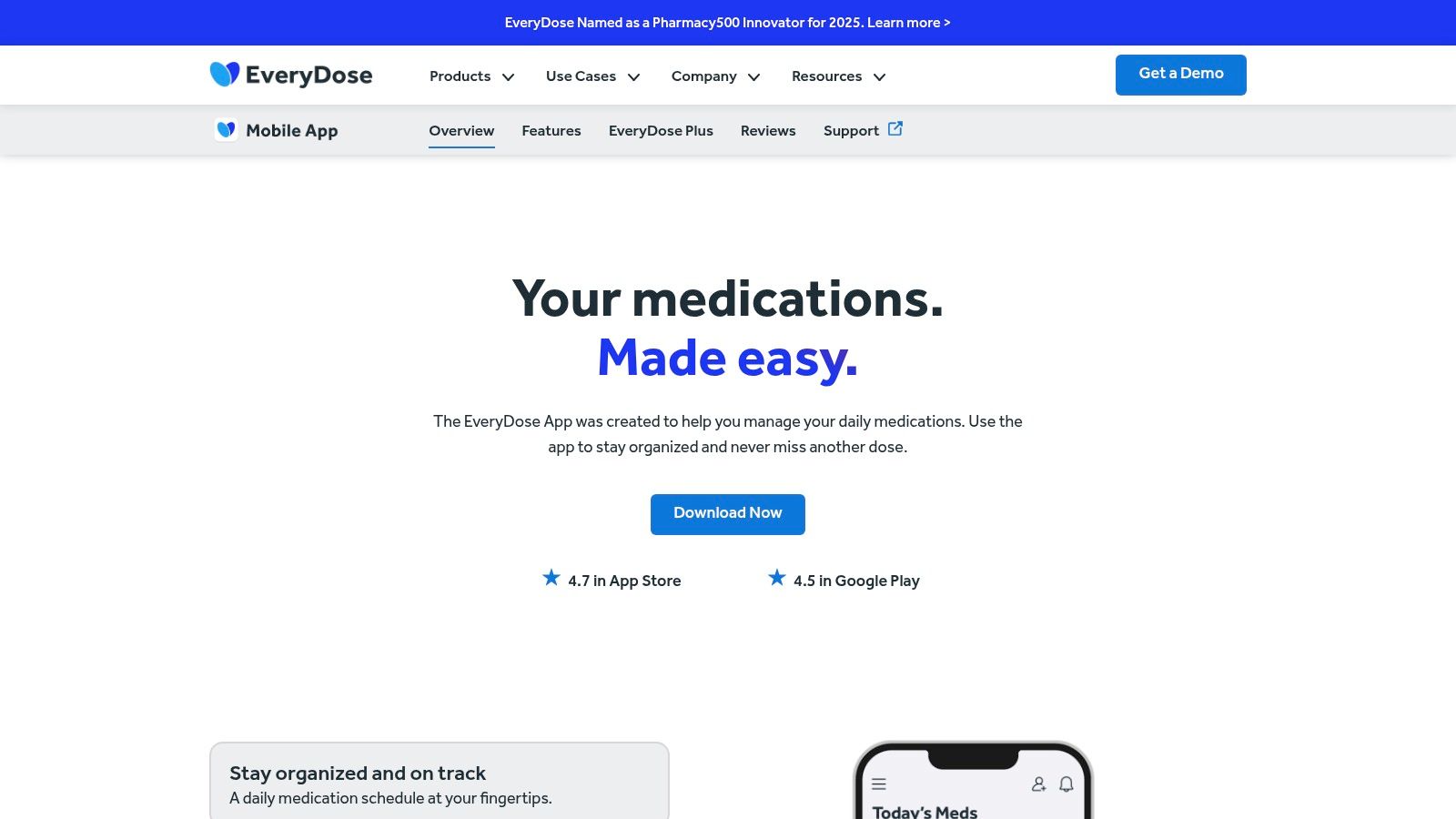
For caregivers, the ability to share progress reports and manage multiple profiles (with a subscription) is invaluable. This allows a son or daughter to oversee their parent's medication schedule from afar, giving them peace of mind that everything is on track. EveryDose also provides drug interaction alerts and syncs with Apple Health, offering a more complete picture of a loved one's well-being. Its straightforward approach helps reduce the technology barrier that can sometimes discourage seniors from trying new tools.
Key Features and Use Cases
- Progress Sharing: A son can receive weekly email reports of his mother's medication adherence, allowing him to check in and offer support without needing to ask intrusive daily questions. This fosters trust and independence.
- Multiple Profiles (Plus): A caregiver looking after both of her aging parents can switch between their profiles within a single app, keeping their schedules organized and separate.
- Health Journaling: Your dad can easily log his blood sugar readings right next to his insulin doses, providing his doctor with a clear, connected history during his next visit.
While the core features are free, advanced family tools like multiple profiles require the EveryDose Plus subscription. Its ecosystem is smaller than some competitors, but its clean interface and strong core functionality make it a wonderful option for those who value simplicity and clarity.
| Feature Highlights | Assessment |
|---|---|
| Ease of Use | Excellent. The clean, modern interface is a standout feature. |
| Caregiver Tools | Good. Progress sharing is standard; multiple profiles require a subscription. |
| Cost | Free with a Plus subscription tier for advanced features. |
| Privacy | Follows standard industry practices to protect user health data. |
Website: https://www.everydose.ai/app/
7. Drugs.com apps
Best for: A trusted source for medication information
While many apps focus only on reminders, Drugs.com offers a powerful app for tracking medications that combines scheduling with a comprehensive library of clinical information. This makes it an ideal choice for caregivers who want to do more than just track doses; they want to understand the why behind each medication, check for potential issues, and stay informed. Its core strength is its authoritative drug database, which is integrated with helpful tools like a pill identifier and interaction checker.
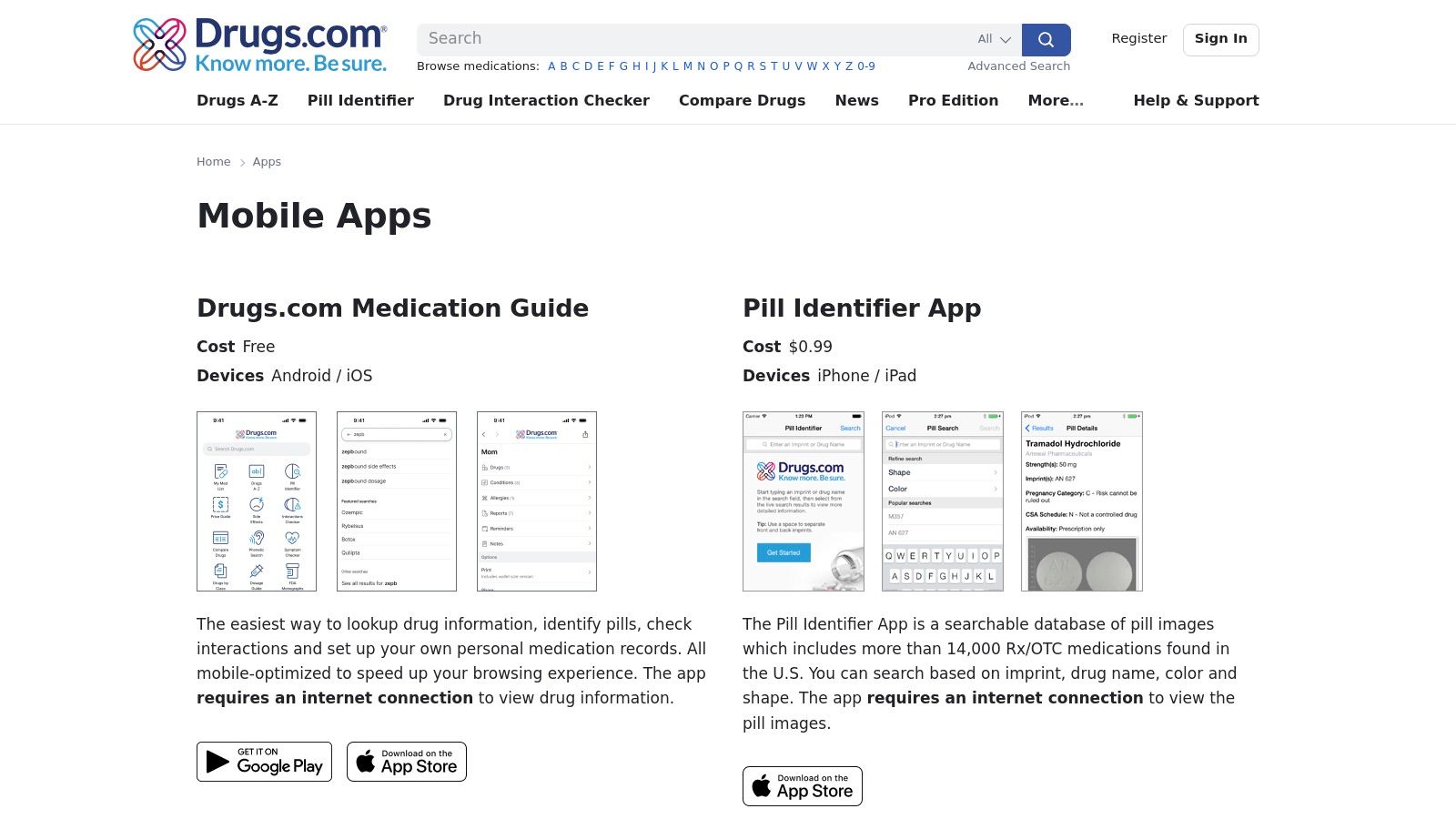
For a caregiver managing a complex regimen for their parent, this app is like having a digital pharmacist in your pocket. Before a doctor's visit, you can quickly build a "My Med List" to print and review potential side effects. The app’s design is more clinical and reference-focused than other consumer-friendly options, but this straightforward approach is perfect for those who prioritize accurate safety information over a polished user interface.
Key Features and Use Cases
- Pill Identifier: Your father drops a pill, and you're not sure which one it is. You can use the app's Pill Identifier tool by entering its shape, color, and markings to quickly and accurately identify it.
- Interaction Checker: When a specialist prescribes a new medication for your mom, you can instantly check it against her existing list to screen for any major interactions, empowering you with questions for the pharmacist.
- Integrated Reminders: While researching a drug's side effects, you can simultaneously set up a daily reminder for it within the same app, keeping all your medication management in one place.
The app's focus on clinical data means the interface can feel less warm and more like a medical textbook. However, for caregivers who value having a reliable, in-depth drug encyclopedia combined with tracking tools, Drugs.com is an invaluable resource for ensuring medication safety.
| Feature Highlights | Assessment |
|---|---|
| Ease of Use | Functional, but the interface is clinical and data-heavy. |
| Caregiver Tools | Good. The interaction and pill identification tools are excellent safety features. |
| Cost | Free for core features; some advanced content may be paid. |
| Privacy | Follows standard privacy practices for health information. |
Website: https://www.drugs.com/apps/
8. GoodRx (Medicine Cabinet)
Best for: Combining reminders with cost savings
While primarily known for helping you save money on prescriptions, GoodRx also offers a surprisingly helpful app for tracking medications through its "Medicine Cabinet" feature. This tool is perfect for caregivers and seniors who want to combine medication management with cost-saving tools in a single, familiar application. It keeps your loved one's prescription list in one place, allowing you to set dose reminders and receive alerts when it's time for a refill, all while seeing opportunities to save.
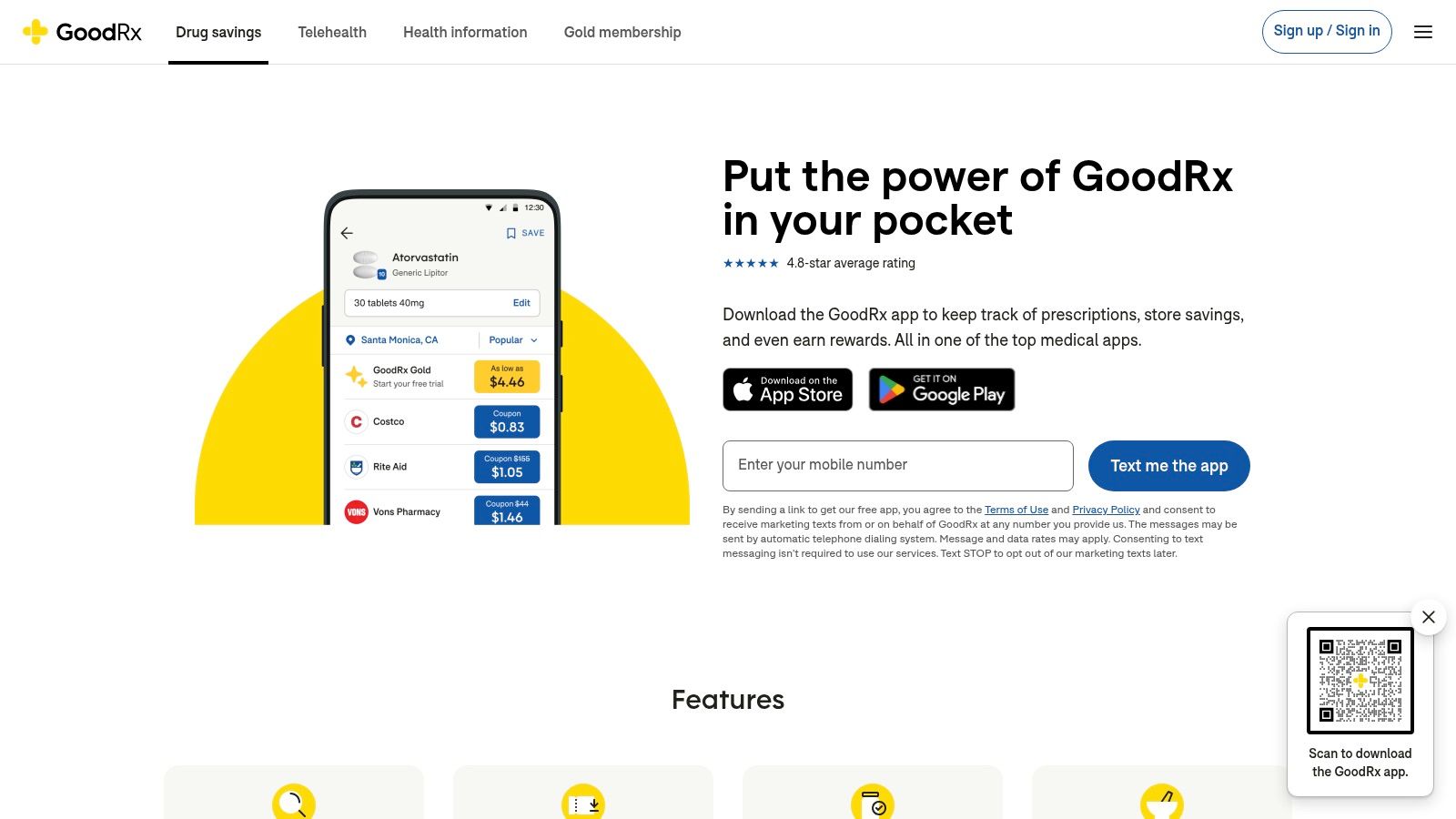
The biggest appeal for many families is the blend of adherence and affordability. Before heading to the pharmacy for your dad's refill, you can quickly check the app for the latest coupons to make sure you get the best price. This convenience simplifies two major caregiving tasks into one streamlined process. While it doesn't have the advanced multi-user sync features of dedicated platforms, its straightforward design makes it an excellent choice for individuals or for a single caregiver overseeing a parent's medication list.
Key Features and Use Cases
- Integrated Savings and Reminders: A son helping his mother manage her fixed income can set up her prescriptions in the Medicine Cabinet. He receives a refill alert and, at the same time, finds a coupon that saves her $15 on her monthly cholesterol medication.
- Centralized Prescription List: When a new doctor asks for a list of your father’s current medications, you can pull up the app and show a complete, accurate list, including dosages and pharmacy information.
- Refill Alerts: The app can notify you a week before a prescription is due to run out, giving you plenty of time to call the pharmacy and arrange for pickup without any last-minute stress.
The main drawback is that GoodRx isn't a dedicated caregiver coordination tool; it lacks features like missed-dose alerts for family members. However, for a cost-conscious individual or a single family member managing medications, its combined approach is uniquely practical.
| Feature Highlights | Assessment |
|---|---|
| Ease of Use | Excellent. The interface is clean, simple, and easy to navigate. |
| Caregiver Tools | Limited. Best for a single user or one caregiver managing a list. Lacks sync features. |
| Cost | Free. The app is supported by its prescription discount service. |
| Privacy | Standard privacy policy; be aware it's linked to a commercial service. |
Website: https://www.goodrx.com/mobile
9. Walgreens app
Best for: Current Walgreens pharmacy customers
If your family already relies on Walgreens for prescriptions, its official app serves as a surprisingly effective app for tracking medications. Instead of adding another app to your routine, this integrates pill reminders directly into the same platform you use for refills and order tracking. It’s a solution built on convenience, bringing all your pharmacy tasks into one familiar place, which can be a huge relief for parents who prefer sticking to what they know.
The app's strength is its seamless connection to the Walgreens pharmacy. You can manage auto-refills, scan a prescription bottle's barcode to order more, and set daily reminders for those exact medications. This all-in-one system reduces the friction of managing prescriptions from start to finish. For a caregiver, this means you can check if your dad’s heart medication has been refilled and set a reminder for him to take it, all within the same app.
Key Features and Use Cases
- Integrated Refill Management: Your mom is running low on her cholesterol medication. You can use the "Refill by Scan" feature on her pill bottle and set up a new daily reminder for the medication once it's picked up.
- Order Status and Reminders: A son helping his father with a new, short-term antibiotic can track the prescription from the doctor's office to the pharmacy and set up pill reminders that start the day he picks it up.
- 24/7 Pharmacy Chat: If you have a late-night question about a side effect or whether a dose can be taken with food, the pharmacy chat offers immediate access to a professional, which is incredibly reassuring.
While it lacks the advanced health journaling or caregiver sync features of dedicated trackers, its convenience for existing Walgreens customers is undeniable. The focus is purely on prescription management within their system, making it a simple, no-fuss option.
| Feature Highlights | Assessment |
|---|---|
| Ease of Use | Excellent. Very familiar and straightforward for existing Walgreens customers. |
| Caregiver Tools | Fair. No direct sync, but caregivers can manage the account for a loved one. |
| Cost | Free. All features are included with the app. |
| Privacy | Managed under Walgreens' HIPAA-compliant privacy policy. |
Website: https://www.walgreens.com/topic/apps
10. CVS Pharmacy app
Best for: CVS customers and those with low vision
For families who already use CVS for their prescriptions, the official CVS Pharmacy app can be a smart and efficient choice. While it's not a standalone app for tracking medications in the same way as other dedicated tools, its strength is how deeply it's integrated with CVS's services. It streamlines the entire prescription process, from ordering refills to tracking delivery and viewing prescription history, all in one place.
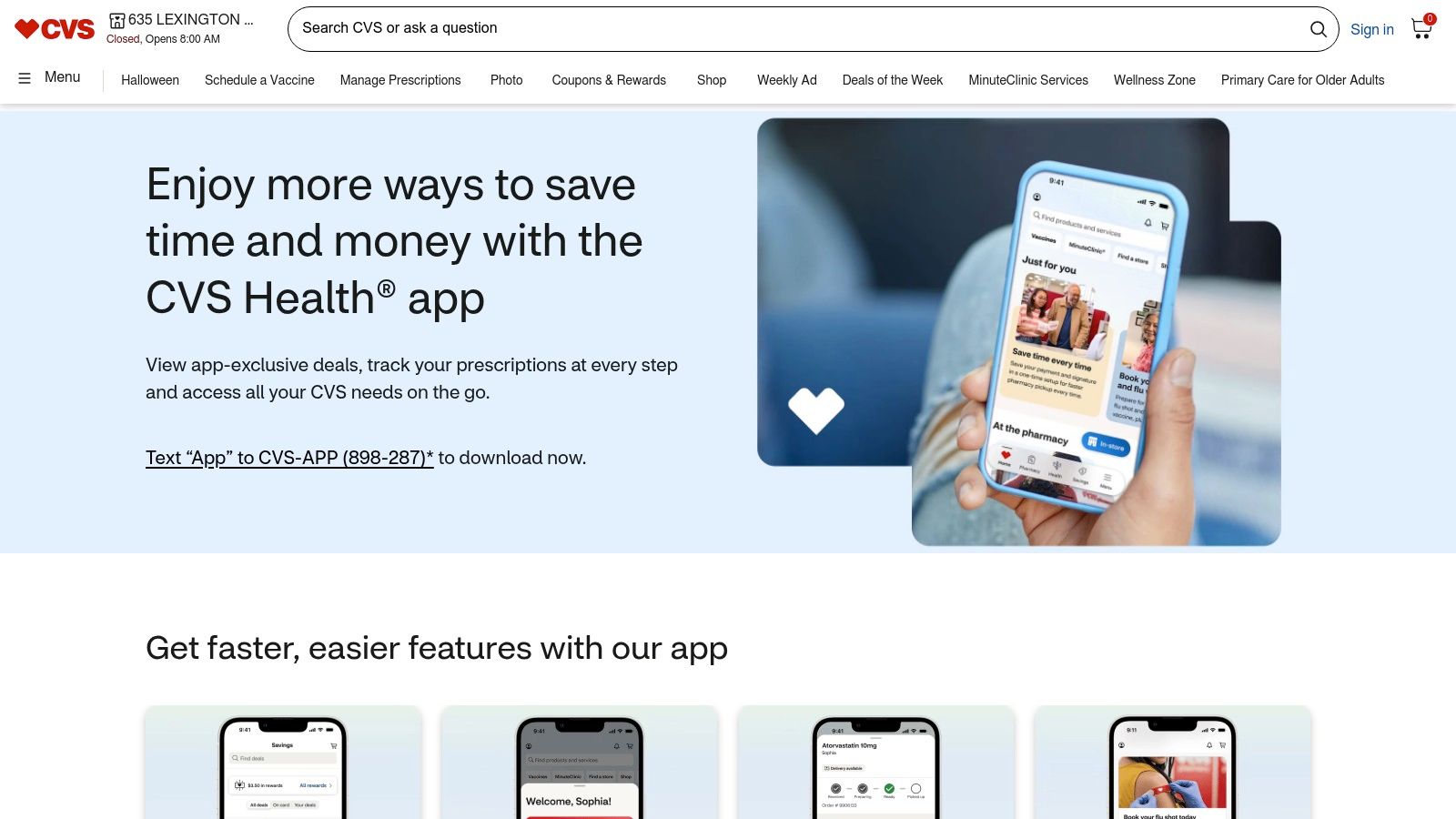
This integration is a huge benefit for caregivers managing medications for a parent who is a loyal CVS customer. You can link their account to yours, making it easy to handle refills and payments without needing to physically handle their pill bottles. A particularly wonderful feature is Spoken Rx, which reads prescription label information aloud. This accessibility tool is a fantastic support for seniors with low vision, empowering them to manage their medications with greater independence and safety.
Key Features and Use Cases
- Integrated Prescription Management: A son can manage his mother’s refills directly from his phone, schedule them for pickup or delivery, and pay in advance, saving her a trip to the store and giving him peace of mind.
- Spoken Rx Accessibility: A caregiver can enable Spoken Rx for a parent with macular degeneration. By holding their phone over the bottle's special label, the app will read all critical information aloud, from the drug name to dosage instructions.
- Drug Interaction Checker: Before picking up a new over-the-counter cold medicine for your dad, you can quickly add it to the app to check for potential interactions with his existing prescriptions filled at CVS.
The app's main focus is on pharmacy tasks rather than detailed adherence tracking, so it lacks the advanced reminder and reporting features of dedicated apps. However, for those already in the CVS ecosystem, its convenience and unique accessibility features are hard to beat.
| Feature Highlights | Assessment |
|---|---|
| Ease of Use | Simple for core pharmacy tasks, but navigation can be complex. |
| Caregiver Tools | Good. Linking family accounts for prescription management is very practical. |
| Cost | Free to download and use. |
| Privacy | Governed by CVS Health's privacy policy and HIPAA regulations. |
Website: https://www.cvs.com/mobile-cvs/apps
11. Apple Health app – Medications feature
Best for: Apple users who value simplicity and privacy
For those already using Apple products, the built-in Medications feature within the Apple Health app offers a seamless and private app for tracking medications. It’s a convenient, free option that uses the power of your existing devices, including iPhone, iPad, and Apple Watch. Its strength is its simplicity and deep integration, allowing you to log doses, set schedules, and even scan medication labels in the U.S. to quickly add them to your list.
This native tool is particularly valuable for its privacy controls and the ease of sharing a medication list with a family member who also uses an iPhone. A parent can grant their child viewing access to their Health data, including their medication log, creating a simple way for you to stay informed. While it lacks some of the proactive alerts of dedicated caregiver apps, its straightforward design and lack of a price tag make it an excellent starting point. For those looking to maximize its potential, we offer a guide on setting up Health Sharing on iOS for caregivers.
Key Features and Use Cases
- Medication Label Scanning: In the U.S., you can use your iPhone camera to scan a prescription bottle's label, and the app automatically pulls in the medication name, dosage, and frequency, which helps reduce typing errors.
- Interaction Warnings: When adding a new medication, the app can alert you to critical interactions with other drugs on your list or with substances like alcohol, providing an important layer of safety.
- Health Data Sharing: A son can ask his mother to share her Health data, allowing him to securely view her medication list and adherence log directly from his own iPhone. This can help him feel more prepared for her next doctor’s visit.
The biggest advantage is that it’s already on your device, free of charge. However, its caregiver features are more passive compared to apps with dedicated alert systems for missed doses, and some features, like label scanning, are only available in certain regions.
| Feature Highlights | Assessment |
|---|---|
| Ease of Use | Excellent. Clean, familiar interface for Apple users. |
| Caregiver Tools | Fair. Health Sharing is useful for viewing but lacks proactive alerts. |
| Cost | Free; built into iOS, iPadOS, and watchOS. |
| Privacy | Excellent. All health data is encrypted on-device and in iCloud. |
Website: https://support.apple.com/en-us/HT212924
12. Google Play Store (Medication reminder apps)
Best for: Android users starting their search
While not a single app, the Google Play Store is the essential starting point for any Android user looking for an app for tracking medications. It’s a huge, centralized marketplace where you can discover, compare, and install hundreds of specialized health tools. For caregivers and seniors using Android phones or tablets, this platform is the critical first step in finding the perfect digital health companion to manage complex medication schedules.
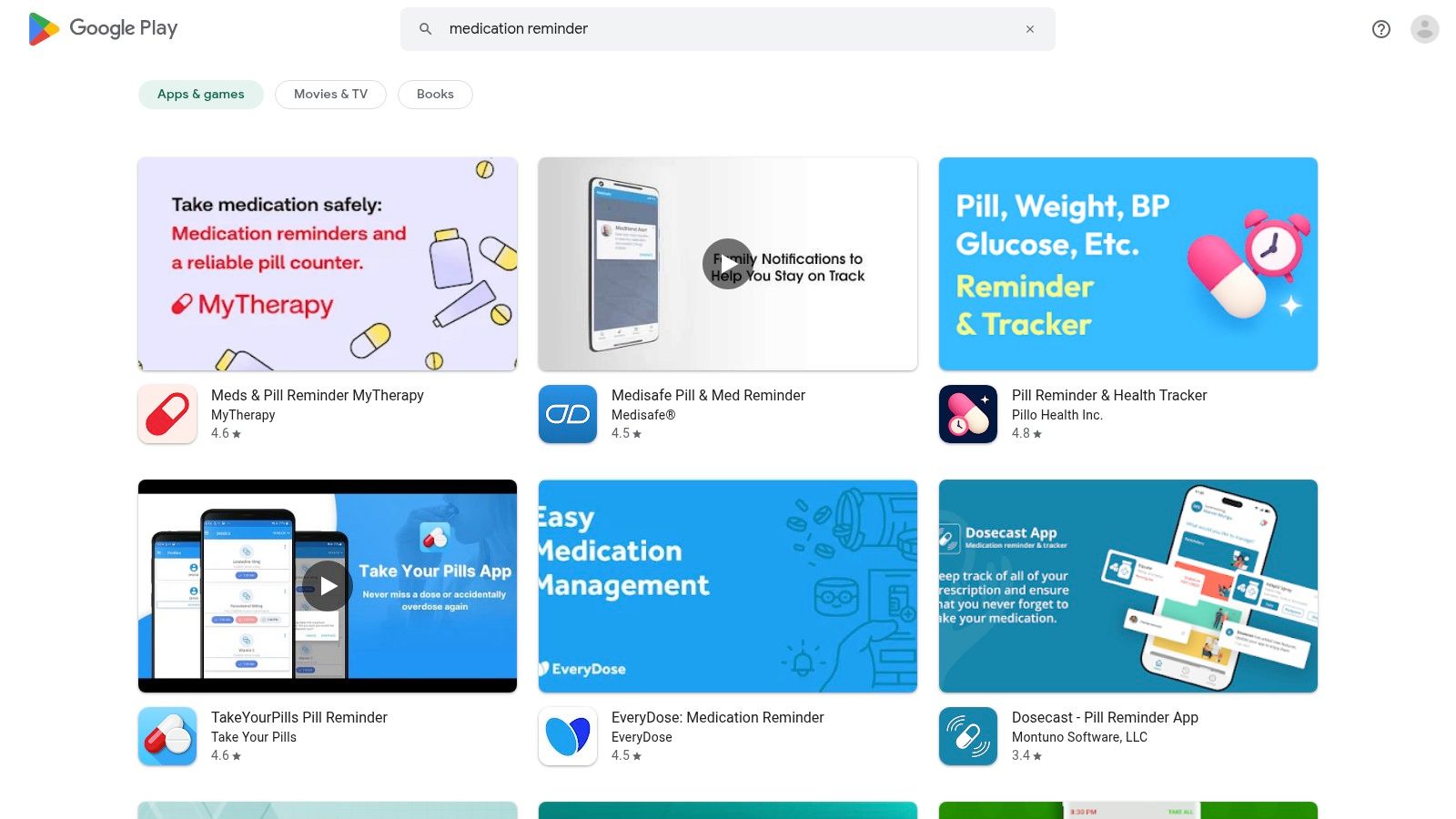
The real value of the Play Store lies in its comparison tools. You can read honest user reviews, check app ratings, and see how recently an app was updated, which is a good sign of its reliability and security. This transparency allows you to make an informed choice before downloading, ensuring the app you select is a good fit for your family's needs. If you're specifically looking for recommendations, our guide to the best Android medication apps can help you navigate the top-rated options available on the platform.
Key Features and Use Cases
- App Discovery and Comparison: A caregiver can search for "pill reminder with caregiver alerts" and compare the features, user ratings, and privacy policies of apps like Medisafe and MyTherapy side-by-side.
- Checking App Legitimacy: Before installing an app for your parent, you can check its "last updated" date. If it hasn't been updated in over a year, you might choose a more actively maintained option for better security.
- Screening for Hidden Costs: The store clearly lists whether an app has in-app purchases or requires a subscription, helping you budget and avoid surprise charges.
The biggest challenge is the sheer number of options, which can be overwhelming. Not all apps are high quality, so it's important to rely on recent reviews and ratings. However, for Android users, it is the indispensable gateway to finding the right medication management tool.
| Feature Highlights | Assessment |
|---|---|
| Ease of Use | Simple, searchable interface that is easy to navigate. |
| Caregiver Tools | Not applicable directly, but it is the primary source for finding apps with caregiver features. |
| Cost | Free to use the store; app costs vary from free to subscription-based. |
| Privacy | Each app has its own privacy policy, which can be reviewed on its store page. |
Website: https://play.google.com/store/search?q=medication%20reminder&c=apps
Top 12 Medication Tracking Apps — Feature Comparison
| App | Core features | User experience / quality | Unique selling point | Price / Best for |
|---|---|---|---|---|
| Don’tForgetDad | Collaborative profiles, unique join codes, gentle nudges, missed‑dose alerts, simple setup | Family‑friendly, privacy‑first, easy for seniors and busy relatives | Team caregiving focus — shared responsibility & clear follow‑up | Pricing not listed (check app/contact); Best for remote family caregivers & seniors |
| Medisafe | Time‑zone reminders, refill alerts, interaction warnings, caregiver sync, Apple Health | Robust reminder logic; large user base; occasional UI clutter | Advanced scheduling logic + shareable adherence reports | Freemium (Premium for best features); Best for complex regimens & caregivers |
| MyTherapy | Medication alarms, symptom/measurement tracking, refill alerts, PDF reports | Free core app; clear adherence history and reporting | Combined medication + health journal with clinician‑ready reports | Free core; Best for users who want health tracking plus clinician reports |
| Dosecast (Montuno) | Flexible scheduling (PRN), postpone/smart silence, dose history, Pro cloud sync | Powerful for complex schedules; Pro needed for multi‑device sync | Very flexible scheduling and enterprise pedigree | Free / Pro subscription; Best for advanced regimens & families |
| CareClinic | Med reminders + symptoms, vitals, nutrition, care plans, exportable reports | All‑in‑one tracker; some features behind subscription | Holistic health tracking beyond meds | Freemium (subscription features); Best for users wanting integrated health tracking |
| EveryDose | Reminders, refill tracking, interaction alerts, progress sharing, profiles (Plus) | Clean UI; family/caregiver friendly | Polished consumer UI with family features | Freemium (Plus tier); Best for families wanting a simple, attractive app |
| Drugs.com apps | My Med List, interactions checker, pill identifier, price guide, reminders | Reference‑style interface; strong safety tools | Deep, regularly updated drug database & pill ID | Free with some paid content; Best for users needing authoritative drug references |
| GoodRx (Medicine Cabinet) | Medicine Cabinet, dose & refill reminders, coupon & Rewards integration | Easy savings integration; may add promotional notifications | Combines medication management with prescription discounts | Free; Best for US users who want reminders + savings |
| Walgreens app | Daily reminders, refill by scan, auto‑refill, order/status tracking, vaccine scheduling | Seamless if you use Walgreens; pharmacy‑tied features | Direct pharmacy integration with refill/order tools | Free app; Best for Walgreens pharmacy customers |
| CVS Pharmacy app | Refill/order payments, interaction checks, vaccine scheduling, Spoken Rx | Strong pharmacy integration; accessibility features | Pharmacy services + accessibility (Spoken Rx) | Free app; Best for CVS customers and low‑vision users |
| Apple Health – Medications | Label scan, schedule reminders, mark taken/skipped, interaction alerts, share list | Integrated across Apple devices; strong privacy controls | Built‑in medication features with device sync & privacy | Free (iOS); Best for Apple ecosystem users seeking privacy & sync |
| Google Play Store (apps) | Centralized app listings, reviews, pricing, compatibility checks | Broad selection; variable app quality — check ratings/updates | Discover, compare, and install Android medication apps | Free to browse; Best for Android users researching/installing apps |
Taking the Next Step with Confidence
Navigating the world of caregiving can often feel like managing a thousand tiny details, each one incredibly important. As we've explored these tools, from all-in-one health journals to simple pharmacy apps, a clear theme emerges: technology, when chosen with care, can be a warm and powerful ally on this journey. It's not about finding the app with the most buttons and charts, but about discovering the one that fits into your family's unique rhythm.
The right app for tracking medications becomes more than just a digital pillbox. It’s a silent partner, a shared source of truth that quiets the "what ifs" and "did they remembers?" It transforms a source of daily anxiety into a moment of shared responsibility and connection, whether you live across the street or across the country.
How to Choose the Right App for Your Family
Feeling a little overwhelmed by the options? That's completely normal. Let's simplify it. Just take a moment to reflect on these gentle questions to find your family’s best fit.
Who will be using the app the most? If your loved one is comfortable with technology, an app like MyTherapy that lets them track their own health can feel empowering. If they prefer things simple, or if you will be managing things for them, an app like Don’tForgetDad, designed for the whole family to see, might be a better choice. The goal is to reduce stress, not add a new tech hurdle.
What is our biggest challenge right now? Is it simply remembering daily doses? Or is it coordinating care between multiple siblings who all want to help? If teamwork is the main goal, look for apps with strong multi-user support and shared notifications. If you need detailed health tracking for doctor visits, then a more clinical app like CareClinic might be the right tool.
Do we need simple or complex? An all-in-one health platform sounds great, but sometimes, a simple, focused tool is more effective. A clean, dependable reminder and logging system is often easier for everyone to stick with long-term. Be honest about what will truly bring you the most peace of mind.
The Real Goal: Connection, Not Perfection
Remember, choosing a new tool is an act of love. It’s a tangible step you are taking to ensure the health and safety of the person you care about. This process can even be an opportunity for connection. Sit down with your parent or loved one, pour a cup of coffee, and look at these options together. Frame it not as another chore, but as a team effort to make life a little easier for everyone.
The journey of caregiving is a marathon, not a sprint. Every small step you take to organize, streamline, and support one another builds a foundation of confidence and care. Choosing the right tool is one of those crucial steps, transforming a daily worry into a manageable, shared routine.
And here’s a small, hopeful takeaway: you don’t have to get it perfect on day one. Just starting the conversation is a win. The simple act of exploring a solution together reinforces your commitment and shows your loved one they are not alone. That shared understanding is more powerful than any feature an app can offer.
If your goal is to create a simple, collaborative system that keeps the whole family in the loop without overwhelming your loved one, consider starting with Don’tForgetDad. It’s designed specifically for families who need a shared "did you remember?" checklist, making it the perfect, straightforward app for tracking medications and other crucial daily tasks. Learn more and see how it can bring your family peace of mind at Don’tForgetDad.