 by Don'tForgetDad Team
Caring for a loved one is an act of deep love, but juggling medications, appointments, and daily routines can feel overwhelming. That constant worry, ‘Did Dad take his heart medication this morning?’ or ‘Did I forget to remind Mom about her vitamins?’, can add a heavy layer of stress to your day. You're not alone in this. Millions of caregivers are looking for a simpler, more reliable way to manage this critical task. A great medicine reminder app doesn't just buzz or beep; it provides a shared sense of peace, connects family members across distances, and empowers everyone with clarity and confidence.
This guide is here to help you find the best medicine reminder app for your unique family needs. It is designed to turn ‘I hope they remembered’ into ‘I know they're on track.’ We will explore seven excellent options, focusing on features that matter most to caregivers: ease of use for seniors, family-sharing capabilities, and clear, reliable notifications.
Inside this comprehensive roundup, you will find:
- Detailed breakdowns of each app’s core features.
- Clear pros and cons to help you weigh your options.
- Practical use-case recommendations, so you know which app is best for situations like coordinating care with siblings or finding a simple tool for an independent parent.
- Screenshots and direct links to make your evaluation process easy and straightforward.
Our goal is to provide a warm, supportive hand as you navigate these tools. Let's find the right partner for your caregiving journey, one that lightens your load and strengthens your connection.
1. Don’tForgetDad
Don’tForgetDad stands out as a top contender for the best medicine reminder app, especially for families coordinating care for a loved one. It’s designed not just as a reminder tool but as a collaborative care hub, turning the often stressful task of medication management into a shared, transparent, and manageable responsibility. Its core strength lies in its family-first approach, prioritizing clear communication and peace of mind over complex clinical features. This makes it an exceptionally strong, well-rounded choice for adult children, siblings, and professional caregivers who need to work together seamlessly.
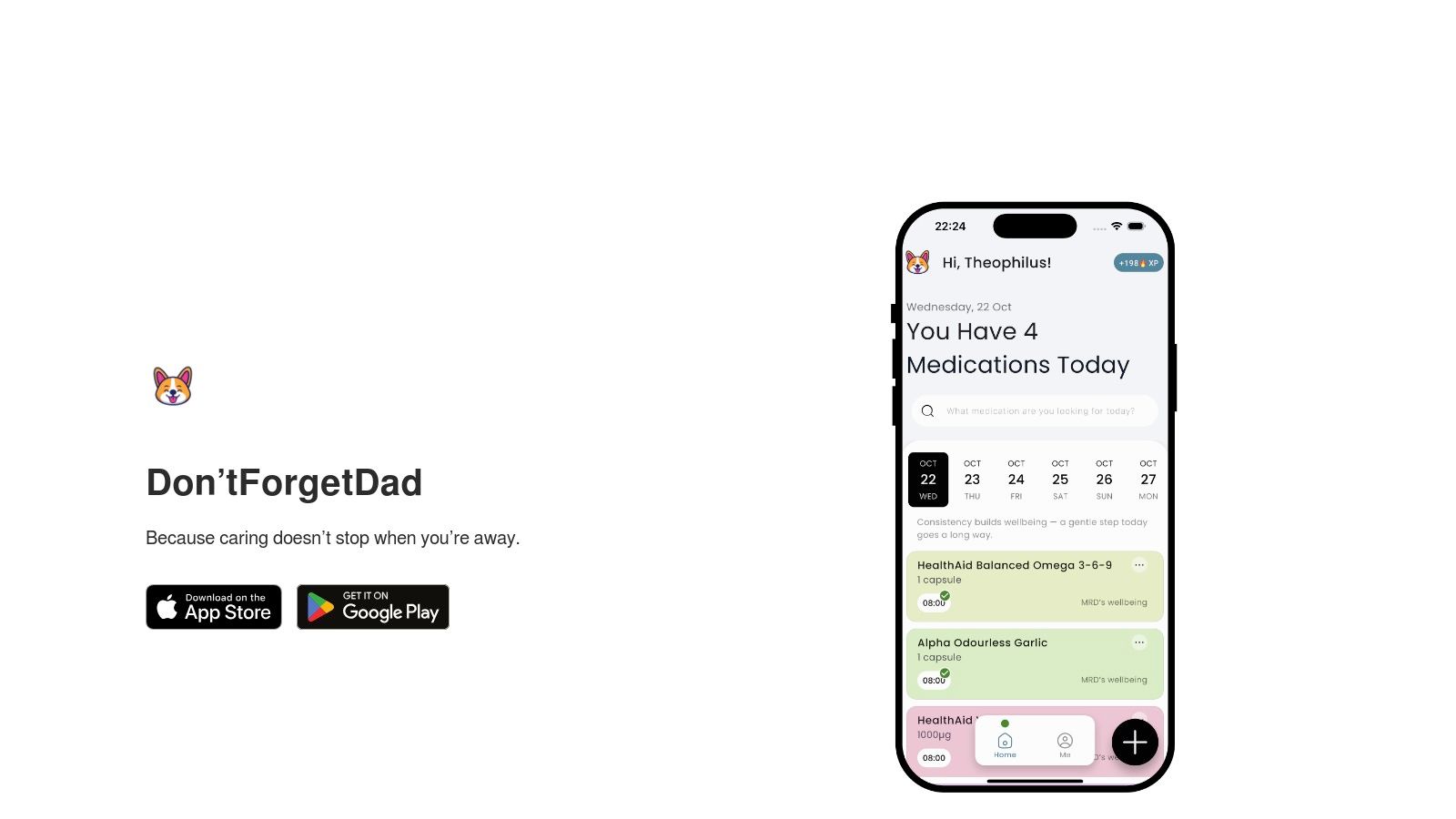
The platform is built around the real-world scenarios families face. Imagine coordinating care for your dad from another state while your local sibling handles daily visits. Don’tForgetDad bridges that gap, creating a single source of truth for everyone involved.
Key Strengths and How They Help Your Family
Don’tForgetDad excels with a few powerful, intentionally simple features that directly address common caregiving pain points.
- Collaborative Care Profiles: Instead of each person having their own separate reminder list, you create one central profile for your loved one (e.g., "Dad's Schedule"). From there, you can invite multiple family members, neighbors, or professional aides using a unique join code. This single feature eliminates the confusion of "Did someone already give Dad his morning pills?" because everyone sees the same schedule and gets the same updates.
- Actionable Missed-Dose Alerts: The app sends gentle nudges at medication times. More importantly, if a dose is missed, it doesn't just send a generic notification. It flags the missed dose for the entire care team. This immediate alert allows someone to follow up right away, turning a potential health risk into a quick phone call or visit. It’s a safety net that provides genuine peace of mind.
- Simple, Senior-Friendly Interface: The setup is refreshingly straightforward, designed for nontechnical users. There are no confusing menus or clinical jargon, making it easy for seniors to use on their own device or for caregivers to set up quickly. The focus is on clarity and ease, reducing the friction that often comes with adopting new technology. The team has also ensured a consistent experience for Android users, and you can find out more about Don’tForgetDad's Android app to see how it works.
Real-World Use Case: Coordinating Sibling Support
Consider a scenario where two siblings are caring for their mother. One lives nearby and manages daily check-ins, while the other lives hours away and handles finances and scheduling appointments. With Don’tForgetDad, the distant sibling can add a new prescription to their mom’s schedule after a telehealth appointment. The local sibling sees the update instantly and receives the reminder, ensuring the new medication is administered correctly without a frantic series of phone calls or texts.
Limitations and Considerations
While Don’tForgetDad is a powerful tool for family coordination, it has a focused purpose. It does not offer advanced clinical integrations like direct pharmacy refills or electronic health record (EHR) synchronization. This makes it less suitable for those needing to manage highly complex medical data directly within the app.
Additionally, the website does not currently display pricing details, user testimonials, or formal certifications. Families interested in the cost or seeking social proof will need to visit the website or contact the company directly for the most current information.
Our Takeaway: For families who need a reliable, no-nonsense tool to ensure a loved one's medication and care routine stays on track, Don’tForgetDad is an outstanding choice. It transforms caregiving from an isolating task into a connected, team-based effort, delivering not just reminders, but reassurance.
Website: https://dontforgetdad.com
2. Medisafe
With millions of families trusting it, Medisafe is one of the most established and well-known names in medication management. It shines by combining easy-to-use reminders with powerful safety features, making it a strong contender for the best medicine reminder app, especially if you need a solution that covers all the bases. Medisafe's mission is to help you and your loved ones never miss a dose, while also providing crucial health information to prevent dangerous mistakes.
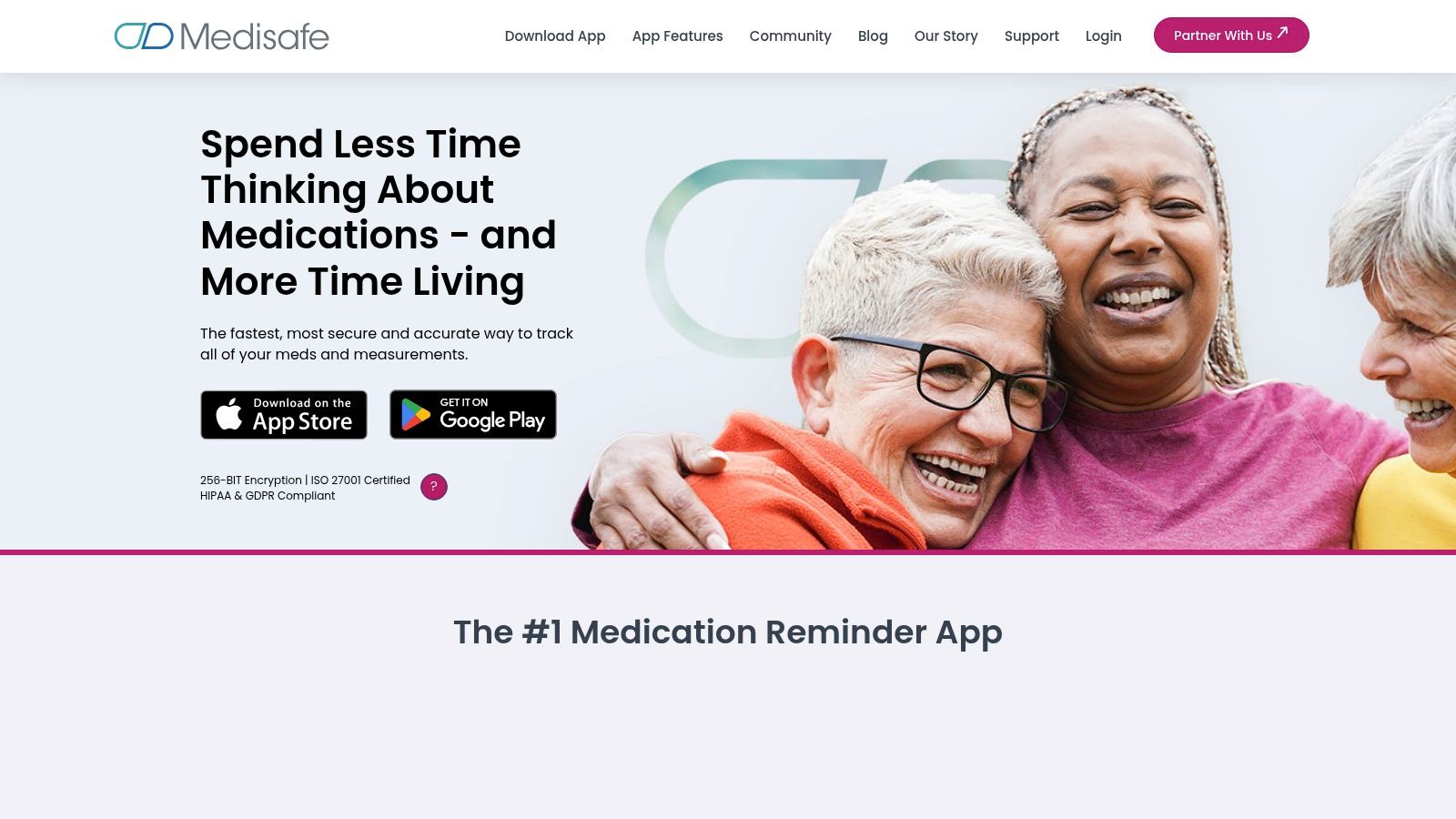
This app does more than just sound an alarm. It offers a set of tools designed to give families peace of mind. For example, a daughter managing her father's multiple prescriptions can not only schedule each dose but also receive critical warnings about potential drug-to-drug interactions (a US-only feature). This safety net is a huge advantage, turning the app from a simple reminder tool into a health partner that looks out for your family.
Key Features and How They Help Families
Medisafe is built around the idea of connected care. Its features are designed to keep everyone in the loop, reducing the stress and worry that often comes with managing a complex health regimen.
- Medfriend Alerts: This is Medisafe’s signature caregiver feature. You can add a family member as a “Medfriend.” If your parent misses a dose and doesn’t mark it as taken, the app will automatically send you an alert. This means you don’t have to constantly call or text to check in; you’ll be notified only when there’s a potential issue, giving you back your peace of mind.
- Comprehensive Health Tracking: Beyond pills, you can track over 20 different health measurements, like blood pressure, glucose levels, and weight. This data can be compiled into shareable reports, making it incredibly easy to provide a doctor with a complete overview of your loved one's health between appointments.
- Drug Interaction Warnings: When adding a new medication, Medisafe cross-references it with your existing list to flag potentially harmful interactions. This is an invaluable safety layer that can prevent serious health complications, acting like a friendly pharmacist in your pocket.
- Flexible Scheduling: The app can handle virtually any schedule, from a simple once-daily vitamin to complex, multi-dose regimens for conditions like Parkinson's or post-transplant care.
Pros, Cons, and Pricing
| Category | Details |
|---|---|
| Pros | ✔️ Strong safety features, including drug interaction alerts. ✔️ Excellent caregiver support through "Medfriend" notifications. ✔️ High data security standards (HIPAA and GDPR compliant). |
| Cons | ❌ The free version contains ads, which can be distracting. ❌ Advanced features and unlimited Medfriends require a premium subscription. ❌ Pricing can differ slightly between the iOS App Store and Google Play. |
| Pricing | Free version available with core features. Medisafe Premium (ad-free, unlimited Medfriends, more color themes) is available as an in-app purchase, typically around $4.99/month or $39.99/year. |
| Website | https://medisafeapp.com |
Practical Tip: When setting up Medisafe for a parent, take five extra minutes to input their doctor’s contact information and pharmacy details directly into the app. This centralizes all critical health information, so if an issue arises, everything you need is in one place, ready to share or access.
3. MyTherapy
MyTherapy is a widely recognized and award-winning app that acts as an all-in-one health diary and medication reminder. It's designed to be simple and reliable, making it an excellent choice for individuals and families who need a straightforward yet powerful tool. The platform's real strength is its holistic approach, combining pill reminders, symptom tracking, and health measurements into a single, easy-to-navigate interface.
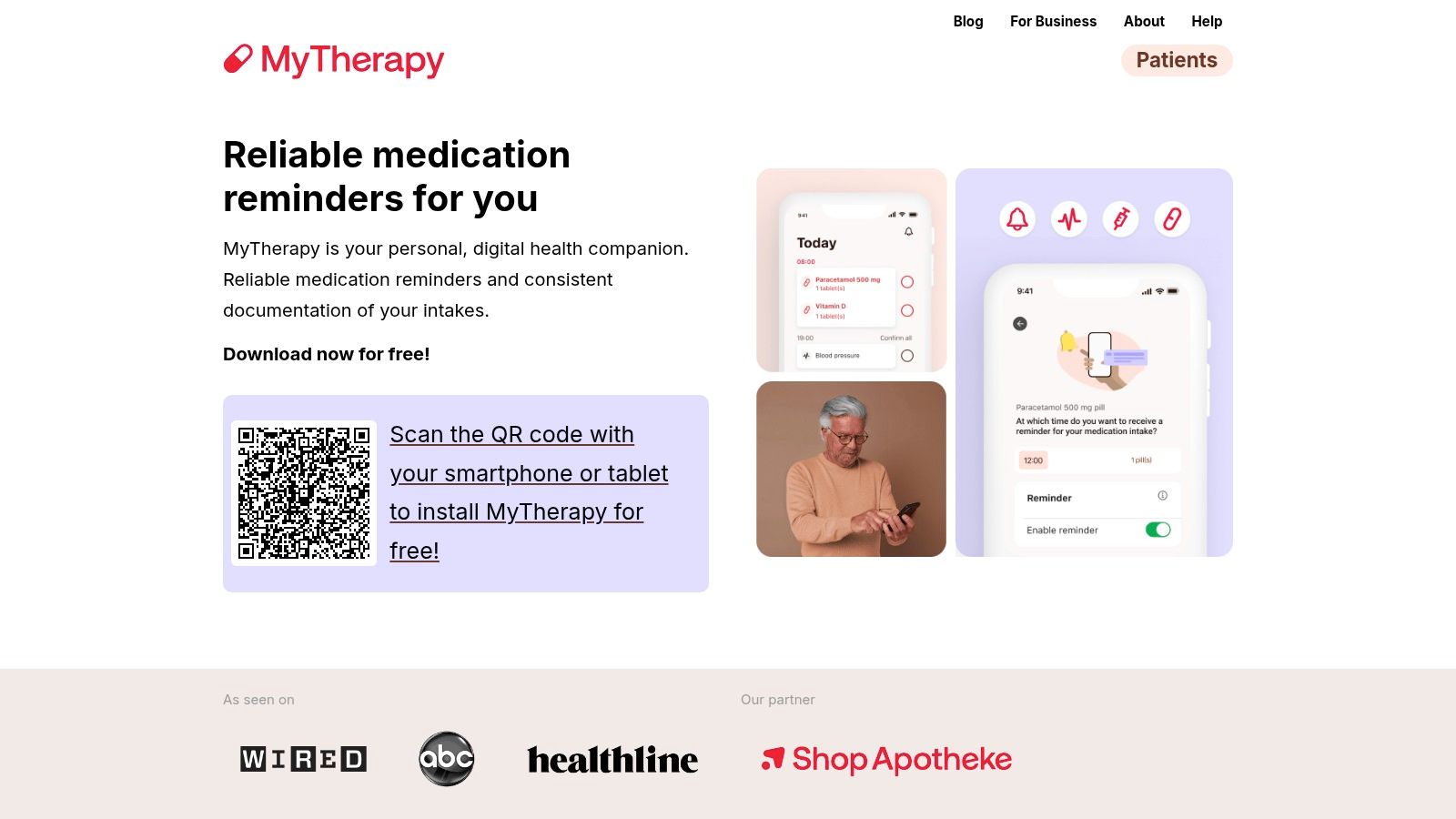
This app is wonderful for empowering your loved ones to take a more active role in their health. Imagine you're helping your mother track not just her blood pressure medication but also her daily glucose readings and how she's feeling. MyTherapy allows you to log all this information in one place, which can then be exported into a clear, concise report for her next doctor's visit. This transforms scattered notes and forgotten details into structured, helpful information, leading to better conversations with her healthcare team.
Key Features and How They Help Families
MyTherapy focuses on creating a complete health picture, which is invaluable for caregivers who need to monitor a loved one’s overall well-being, not just their medication schedule.
- Reliable Reminders and Refill Alerts: The app sends dependable reminders for pills and appointments. It also includes timely notifications when a prescription is running low, helping you prevent those last-minute rushes to the pharmacy.
- Comprehensive Health Journal: Users can track a wide range of data, including symptoms, mood, physical activity, blood pressure, and weight. This journal helps identify patterns and understand how different factors are affecting your parent’s health over time.
- Exportable Health Reports: All the tracked data can be compiled into a PDF report. You can easily print this or email it directly to a doctor, ensuring they have all the relevant information to make informed decisions about care.
- Accessibility and Language Support: MyTherapy is designed with accessibility in mind, offering support for iOS VoiceOver and larger text sizes. Its availability in numerous languages makes it a versatile option for diverse families. You can learn more about how MyTherapy and similar apps are helping caregivers by visiting our blog.
Pros, Cons, and Pricing
| Category | Details |
|---|---|
| Pros | ✔️ Excellent accessibility options and broad language support. ✔️ Core functionality is completely free, per the developer. ✔️ Combines medication, symptom, and measurement tracking in one place. |
| Cons | ❌ The ad-free experience requires an in-app purchase. ❌ Does not have a dedicated caregiver alert system like Medisafe's "Medfriend". ❌ Some features may be specific to certain regions. |
| Pricing | The core app is free to use. An optional in-app purchase is available to remove ads. |
| Website | https://www.mytherapyapp.com |
Practical Tip: Use the "Team" feature to invite family members to help manage your parent's health journal. This way, if you’re busy one day, your sibling can log your mom's blood pressure reading, ensuring the health report stays complete and accurate for her next appointment.
4. Drugs.com (Medication Guide app)
For families who value deep, trustworthy knowledge alongside their reminders, the Drugs.com Medication Guide app is an essential tool. Backed by one of the most reputable online drug-information publishers, this app is less of a simple pill reminder and more of a complete pharmaceutical encyclopedia in your pocket. It’s the best medicine reminder app for caregivers who want to understand the "why" behind each medication, not just the "when."
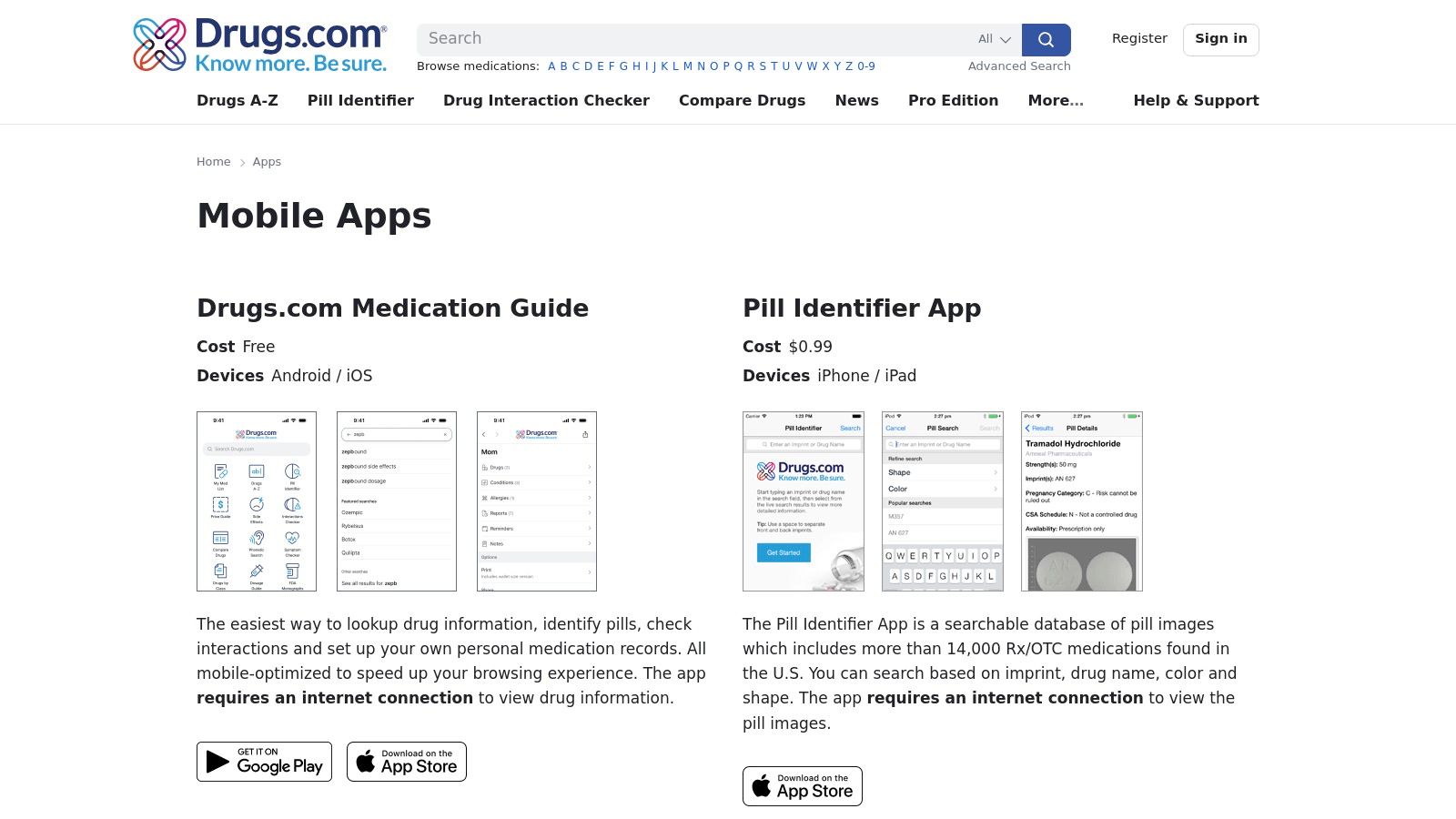
Imagine you’re at the pharmacy picking up a new prescription for your mother. You can immediately use the app to check for potential interactions with her existing medications, look up common side effects, and even compare local pharmacy prices. This combination of a powerful reference library with a functional reminder system provides an unmatched layer of confidence and safety, empowering you to be a more informed advocate for your loved one’s health.
Key Features and How They Help Families
Drugs.com focuses on empowering you with information, turning moments of uncertainty into opportunities for confident action. Its features are designed to answer your most pressing medication questions right when you need them.
- Pill Identifier: This invaluable tool helps you identify a stray pill by its imprint, color, and shape. If your parent has mixed up their medications or dropped a pill, you can quickly identify it and prevent a potentially dangerous mistake. It’s like having a puzzle-solver for your medicine cabinet.
- Interaction Checker: Before starting a new medication (including over-the-counter drugs or supplements), you can run a quick check to see if it interacts negatively with anything else your loved one is taking. This provides professional-grade safety information at your fingertips.
- Comprehensive Medication Guides: Each medication in your reminder list is linked to a detailed, easy-to-understand profile. You can quickly learn about dosage, side effects, and important warnings, helping you know what to expect and when to call a doctor.
- Reminder and Tracking System: The app includes a straightforward reminder function to schedule doses. You can build a personal medication list for your parent and receive alerts, ensuring they stay on track with their regimen.
Pros, Cons, and Pricing
| Category | Details |
|---|---|
| Pros | ✔️ Combines reminders with a powerful, peer-reviewed drug database. ✔️ Excellent safety tools like the Pill Identifier and Interaction Checker. ✔️ Backed by a highly trusted and long-standing brand in the U.S. |
| Cons | ❌ The user interface is more clinical and information-heavy than other apps. ❌ Lacks dedicated caregiver features like missed-dose alerts for family members. ❌ Some key features require an internet connection to access the database. |
| Pricing | The app is completely free to download and use on both iOS and Android. |
| Website | https://www.drugs.com/apps/ |
Practical Tip: Use the Pill Identifier feature to conduct a "pill audit" with your parent every few months. Go through their pill organizers and any loose bottles together, using the app to confirm each medication is correct and in the right place. This simple habit builds confidence and prevents mix-ups.
5. Dosecast
Dosecast is a long-standing and reliable name in the medication reminder space, known for its powerful scheduling flexibility and robust notification system. It brings a high level of precision to personal medication management, making it a strong candidate for families who need a no-fuss, highly dependable tool. Its core strength is delivering accurate reminders, whether you're at home or traveling across different time zones.

This app excels at handling complex and variable schedules that other apps might struggle with. Imagine caring for a parent who needs a pain medication "as needed" but not more than every four hours, alongside a daily blood pressure pill and a weekly vitamin. Dosecast can manage all these different schedules seamlessly, tracking quantities and alerting you when it's time for a refill. This special focus on scheduling makes it an excellent choice for managing post-operative care or conditions with changing needs.
Key Features and How They Help Families
Dosecast is built for accuracy and reliability, ensuring that even the most complex medication plans are followed correctly. Its features are designed to provide confidence and reduce the mental load on caregivers.
- Flexible Scheduling: The app supports a wide variety of dosing schedules. You can set reminders for fixed daily times, on a recurring hourly interval (e.g., every 6 hours), or for "as needed" (PRN) medications.
- Smart Notifications: Reminders are time-zone aware, so they adjust automatically when you or your loved one travels. It also includes a snooze function, and because notifications are stored on the device, they will still work even without an internet connection.
- Quantity Tracking and Refill Alerts: Dosecast keeps a running count of remaining doses and will alert you when a prescription is running low. This proactive feature helps prevent last-minute rushes to the pharmacy, ensuring there are no gaps in treatment.
- Multi-Person Support & Cloud Sync: You can manage medications for multiple family members from a single account. The optional cloud sync keeps the medication list and history backed up and synchronized across different devices, so you and a sibling can both stay up-to-date on your parent's care.
Pros, Cons, and Pricing
| Category | Details |
|---|---|
| Pros | ✔️ Strong scheduling flexibility for complex regimens. ✔️ Reliable offline and time-zone-aware notifications. ✔️ Backed by a company with enterprise health system experience. |
| Cons | ❌ Pricing details are not clearly listed on the website. ❌ The user interface feels less modern than some newer apps. ❌ App store listings show a less frequent update schedule compared to competitors. |
| Pricing | A free version is available with basic features. The Pro Edition with cloud sync and multi-person support is available as an in-app purchase, with pricing typically found within the App Store or Google Play. |
| Website | https://dosecast.com |
Practical Tip: When you first set up a medication in Dosecast, enter the total quantity from the prescription bottle. This activates the refill reminder feature from day one, giving you one less thing to worry about tracking manually.
6. CareClinic
For families managing chronic conditions, medication reminders are just one piece of a much larger health puzzle. CareClinic understands this reality and presents itself not just as a pill reminder, but as a complete health journal. It’s the ideal choice for users who want to see the bigger picture, connecting medication schedules with symptoms, vitals, nutrition, and daily activities all in one place.
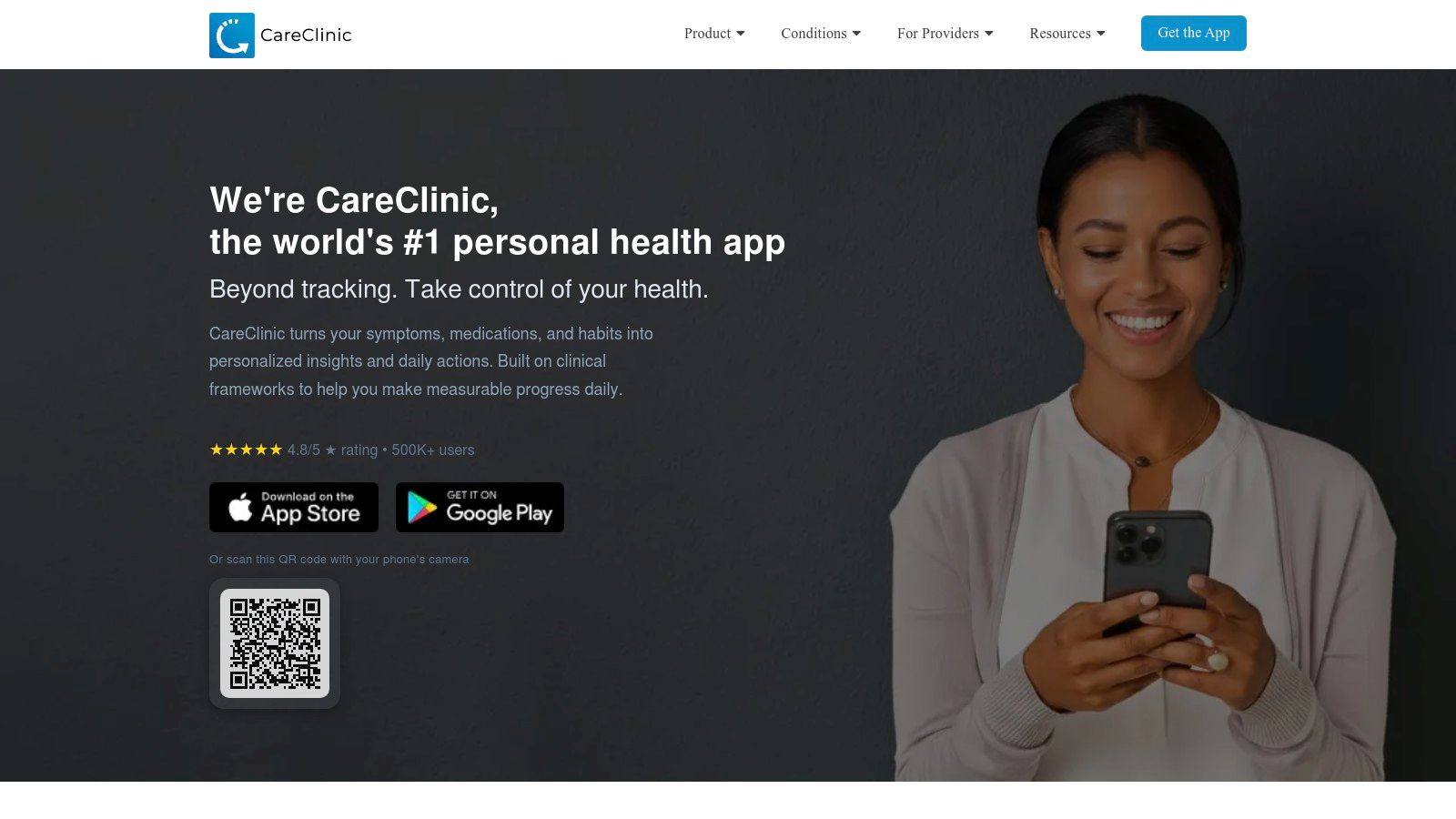
This app's strength is its ability to bring all your health data together. Imagine you’re helping your mother manage her diabetes. With CareClinic, you can track her medication schedule, log her daily glucose readings, note her energy levels after meals, and record her daily walks. This creates a powerful, interconnected diary that helps you and her doctor identify patterns, understand how well her treatment is working, and make more informed care decisions together.
Key Features and How They Help Families
CareClinic is designed to empower both patients and their caregivers with data. Its features focus on creating a complete health story, making it an indispensable tool for proactive care.
- All-in-One Tracking: This is the heart of the app. You can create a unified dashboard to track medications, symptoms (like pain or fatigue), vital signs (blood pressure, weight), nutrition, and physical activity. This holistic view is crucial for managing complex conditions.
- Caregiver Sharing & Care Plans: You can add dependents to your account and share their health log with doctors or other family members. The "Care Plan" feature allows you to set up the entire regimen, from pill schedules to doctor appointments and therapy sessions, keeping everyone on the same page.
- Wearable Integrations: CareClinic connects with devices like Apple Health, Google Fit, and Fitbit. This automatically pulls in activity and sleep data, saving you manual entry and providing a more complete picture of your loved one's daily life.
- Refill Reminders: The app tracks your pill count and sends timely alerts when a prescription is running low, helping you avoid last-minute trips to the pharmacy.
Pros, Cons, and Pricing
| Category | Details |
|---|---|
| Pros | ✔️ All-in-one health tracking goes far beyond simple reminders. ✔️ Excellent for managing chronic conditions with complex factors. ✔️ Integrates with wearables to automate data collection. ✔️ Broad device and language support makes it highly accessible. |
| Cons | ❌ The most powerful features require a premium subscription. ❌ Some users find the frequent prompts to upgrade to be distracting. ❌ The sheer number of features can feel overwhelming for users who only need simple reminders. |
| Pricing | Free version available with basic tracking. CareClinic Premium (unlocking advanced reports, unlimited check-ins, and more) is offered as an in-app purchase, with pricing typically around $9.99/month or $59.99/year, though this can vary. |
| Website | https://careclinic.io |
Practical Tip: When starting with CareClinic, focus on tracking just two or three key metrics alongside medications, such as blood sugar and mood. Once you’re comfortable, gradually add more trackers. This prevents overwhelm and helps you build a powerful health-tracking habit over time.
7. Apple App Store (product pages for med reminder apps)
While not a reminder app itself, the Apple App Store is an essential starting point for any iOS user searching for the best medicine reminder app. It acts as a trusted gatekeeper, offering a secure and informative place to look at your options before you choose. Its real value is providing verified, up-to-date information directly from developers, so you see the most current features, pricing, and, most importantly, privacy policies for each app.
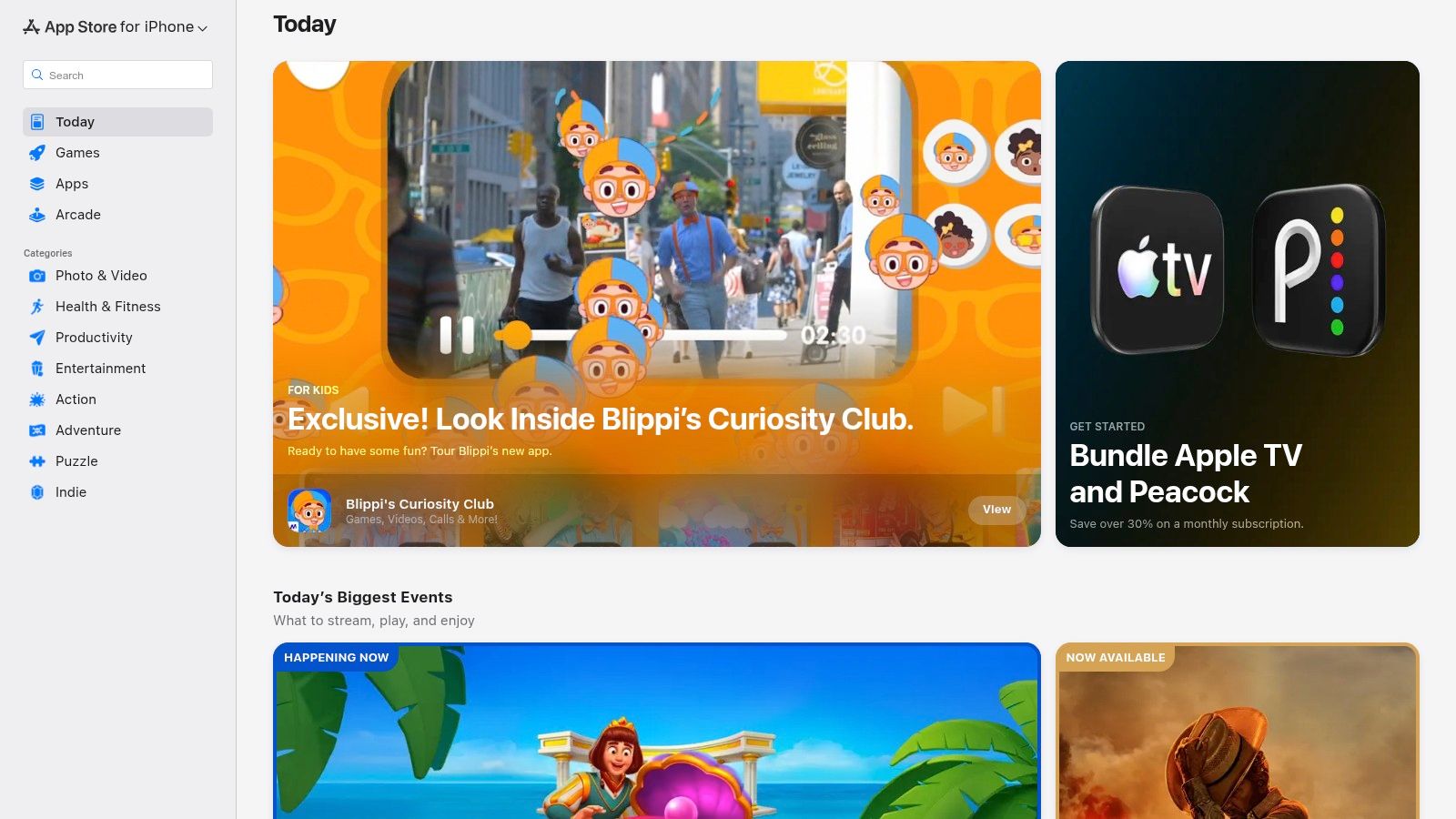
This platform provides peace of mind by putting all the critical details you need to make a safe choice for your family in one place. For instance, when choosing between two popular apps for your mom, you can instantly compare their “App Privacy” labels to see exactly what data they collect and how it's used. This transparency is crucial when dealing with sensitive health information and helps you avoid apps with questionable practices.
Key Features and How They Help Families
The App Store is designed to empower you with clear, concise information, removing the guesswork from selecting a digital health tool for your loved one.
- App Privacy Labels: This is arguably the most critical feature for caregivers. In a single glance, you can see if an app tracks your location, shares data with third-party advertisers, or links health data to your identity. Understanding these details is a vital first step, and you can learn more about app privacy and why it matters.
- Verified Reviews and Ratings: Real user reviews from other families and caregivers provide invaluable insights into an app's day-to-day performance. You can quickly learn about its ease of use for seniors, the reliability of its alerts, and the quality of its customer support.
- Up-to-Date Pricing and In-App Purchases: The App Store clearly lists the initial cost (if any) and details all potential in-app purchases. This transparency prevents surprise charges and helps you find a solution that fits your family’s budget.
- Family Sharing Compatibility: You can easily check if an app supports Apple’s Family Sharing feature, which allows you to share a single premium subscription with multiple family members, saving money and simplifying management.
Pros, Cons, and Pricing
| Category | Details |
|---|---|
| Pros | ✔️ Provides the most current, US-specific pricing for iOS users. ✔️ App Privacy labels make it easy to verify data handling practices. ✔️ Centralized source for reviews, ratings, and developer details. |
| Cons | ❌ An iOS-only platform; Android users must use Google Play instead. ❌ Pricing is localized and can vary by region or subscription tier. ❌ Does not offer direct app comparisons or recommendations. |
| Pricing | Free to use. The platform displays both free and paid apps, with all in-app purchase pricing clearly disclosed on each product page. |
| Website | https://apps.apple.com |
Practical Tip: Before downloading any app for your parent, scroll down to the "Information" section on its App Store page. Check the "Compatibility" line to ensure it will run smoothly on their specific iPhone or iPad model, preventing any frustrating technical glitches after installation.
Top 7 Medication Reminder Apps — Feature Comparison
| Product | Implementation complexity | Resource requirements | Expected outcomes | Ideal use cases | Key advantages | Key limitations |
|---|---|---|---|---|---|---|
| Don’tForgetDad | Low — simple profile setup and join codes | Mobile devices for caregivers; internet for sharing/notifications | Improved family coordination and fewer missed doses | Adult children, remote family caregivers, seniors wanting simple UX | Per-profile join codes; clear missed-dose alerts; privacy-first design | Limited clinical integrations; pricing/certifications not publicly listed |
| Medisafe | Medium — configurable schedules and caregiver setup | Mobile device, account; premium subscription for advanced features | Better adherence with safety alerts and caregiver notifications | Users needing interaction warnings and complex regimens | Large user base; HIPAA/GDPR/ISO 27001; robust caregiver features (Medfriend) | Freemium model; pricing and features vary by region |
| MyTherapy | Medium — reminders plus diary and reporting | Mobile device; optional in‑app purchases/subscription | Adherence tracking, symptom logging, exportable health reports | Users wanting medication reminders plus a health diary and accessibility support | Broad language/accessibility support; free core app; exportable reports | Some features region‑specific; ad‑free/options behind purchase |
| Drugs.com (Medication Guide) | Medium — reminder setup plus reference tools | Mobile device; internet for deep reference, price checks | Reminders plus extensive drug reference, pill ID, interactions | Users needing authoritative drug information and pill identification | Peer‑reviewed drug content; pill identifier; price and FDA alerts | Heavier information focus; some tools require internet |
| Dosecast | Medium–High — advanced scheduling and timezone handling | Mobile device; optional cloud account; supports offline notifications | Reliable adherence with flexible schedules and timezone-aware alerts | Travelers, users with variable/complex dosing, institutional use | Strong scheduling flexibility; offline reliability; enterprise pedigree | Pricing/details less visible; mixed recent ratings in some regions |
| CareClinic | Medium–High — comprehensive setup for multiple trackers | Mobile device; optional wearables integrations; account; many premium features | Holistic self‑management: meds, vitals, symptoms, care plans | Users with chronic conditions who want integrated tracking and care plans | All‑in‑one tracking; wearable/calendar integrations; Apple Watch support | Many premium features behind paywall; upsell prompts reported |
| Apple App Store (product pages) | Low — discovery and install interface (not an app feature set) | iOS device and Apple ID; internet to view pages | Up‑to‑date pricing, privacy labels, reviews, and one‑tap install | iOS users comparing apps, verifying privacy and developer details | Current pricing/IAPs, privacy labels, verified developer identity | iOS‑only; pricing varies by region and currency |
Our Recommended Pick for Family Peace of Mind: Don’tForgetDad
Navigating the world of medication management can feel overwhelming, especially when you’re coordinating care for a loved one. Throughout this guide, we’ve explored a variety of excellent tools, each with its own unique strengths. From the clinical depth of Drugs.com to the all-in-one health tracking of CareClinic, there is a digital solution for nearly every need. We saw how apps like Medisafe and MyTherapy offer robust features for individual users, while Dosecast provides powerful customization for complex schedules. The landscape is rich with options designed to bring order and safety to medication routines.
However, after a thorough review, one app consistently stood out for its profound understanding of the family caregiving journey: Don’tForgetDad. While many apps focus on the what and when of medication, Don’tForgetDad excels at the who and how. It’s built on the principle that managing a loved one’s health isn't just a logistical task; it’s a shared emotional responsibility. For families juggling care across different cities or even just across town, this collaborative approach is a game-changer.
Why It’s Our Top Pick for Families
Finding the best medicine reminder app often comes down to your specific circumstances. Don’tForgetDad shines brightest in the scenarios that many caregiving families know all too well.
- For the Long-Distance Daughter: Imagine living three states away from your father. The constant worry about whether he’s taken his heart medication can be a heavy burden. Don’tForgetDad’s real-time alerts provide immediate reassurance. You’ll know the moment a dose is missed, allowing you to call him or a nearby sibling to check in, transforming anxiety into proactive care.
- For the Local Son Juggling It All: You’re the one on the ground, taking Mom to appointments and picking up prescriptions. But you can't be there 24/7. With Don’tForgetDad, you can easily add your sister and a trusted neighbor to the care circle. Now, when you're stuck in a meeting, someone else is instantly notified of a missed dose and can step in. The load is shared, and the risk of a gap in care is significantly reduced.
- For the Tech-Wary Senior: Many older adults are hesitant to adopt new technology. Don’tForgetDad’s interface is clean, simple, and friendly. The setup, managed by a family member, is straightforward. The parent’s role is simple: tap a button when they take their pills. This simplicity lowers the barrier to entry, making it a tool they will actually use.
The app's design philosophy prioritizes connection over complexity. The unique join-code system for creating a care circle is a perfect example. There are no complicated invitations or confusing permission settings. You simply share a code, and your support network is connected, secure, and ready to help.
This focus on the human element is what makes Don’tForgetDad more than just a pill reminder. It’s a communication tool that fosters teamwork and eases the emotional weight of caregiving.
Your Next Step: From Information to Action
Choosing an app is the final step. The first, most important step, is opening a conversation. The best technology in the world can't replace a clear, compassionate discussion with your family about how to best support your loved one together. Use this article as a starting point. Talk about what features are most important: Is it tracking refills? Sharing notes with siblings? Getting instant alerts?
Once you understand your family’s unique needs, you can select the right tool with confidence. For those whose top priority is shared responsibility, seamless coordination, and the profound peace of mind that comes from a connected care team, Don’tForgetDad is an exceptional choice. It transforms medication management from a source of stress into an act of collaborative love, ensuring that no one carries the weight of care alone.
One Small Tip: Before you even download an app, take a moment to write down every medication your loved one takes, including the dose and time. Having this list ready will make setting up any app a smooth and stress-free process.
Ready to replace worry with peace of mind? See how Don’tForgetDad makes it simple to build a reliable care circle around your loved one. Visit Don’tForgetDad to learn how the best medicine reminder app for families can bring your team together.