 by Don'tForgetDad Team
Living with Multiple Sclerosis, or caring for someone who is, means navigating a world of new routines, symptoms, and medications. It can feel overwhelming, like trying to keep track of a hundred different details every single day. You're not alone in feeling this way, and thankfully, your smartphone can become a powerful and supportive partner in managing this journey.
This guide is designed to help you find the best apps for MS that fit your family's needs, whether you're managing your own health or coordinating care for a loved one. We'll explore a friendly list of digital tools that can help you track symptoms, remember medications, manage fatigue, and connect with a supportive community. Think of this as your personal resource for turning your phone into a reliable assistant.
Each app review includes a simple breakdown of its purpose, key features, and what makes it helpful (or what to consider), complete with pictures and direct links. Our goal is to cut through the clutter and show you how these tools can bring a sense of order and peace of mind back into your daily routine, making caregiving a more connected, less stressful experience for everyone involved.
1. Don’tForgetDad
Best for: Coordinated family caregiving and medication management.
For families navigating the complexities of MS care, Don’tForgetDad offers a wonderfully simple solution to a common source of stress: medication reminders. While many apps focus on individual symptom tracking, this one is built for the entire care circle. It transforms the private worry of "Did Mom take her meds?" into a shared, gentle process. Imagine your sister who lives in another state feeling just as connected to Dad's care as you do—that's the peace of mind this app provides, making it one of the most practical apps for MS care coordination. Its strength is its simplicity and thoughtful design, ensuring everyone stays on the same page.
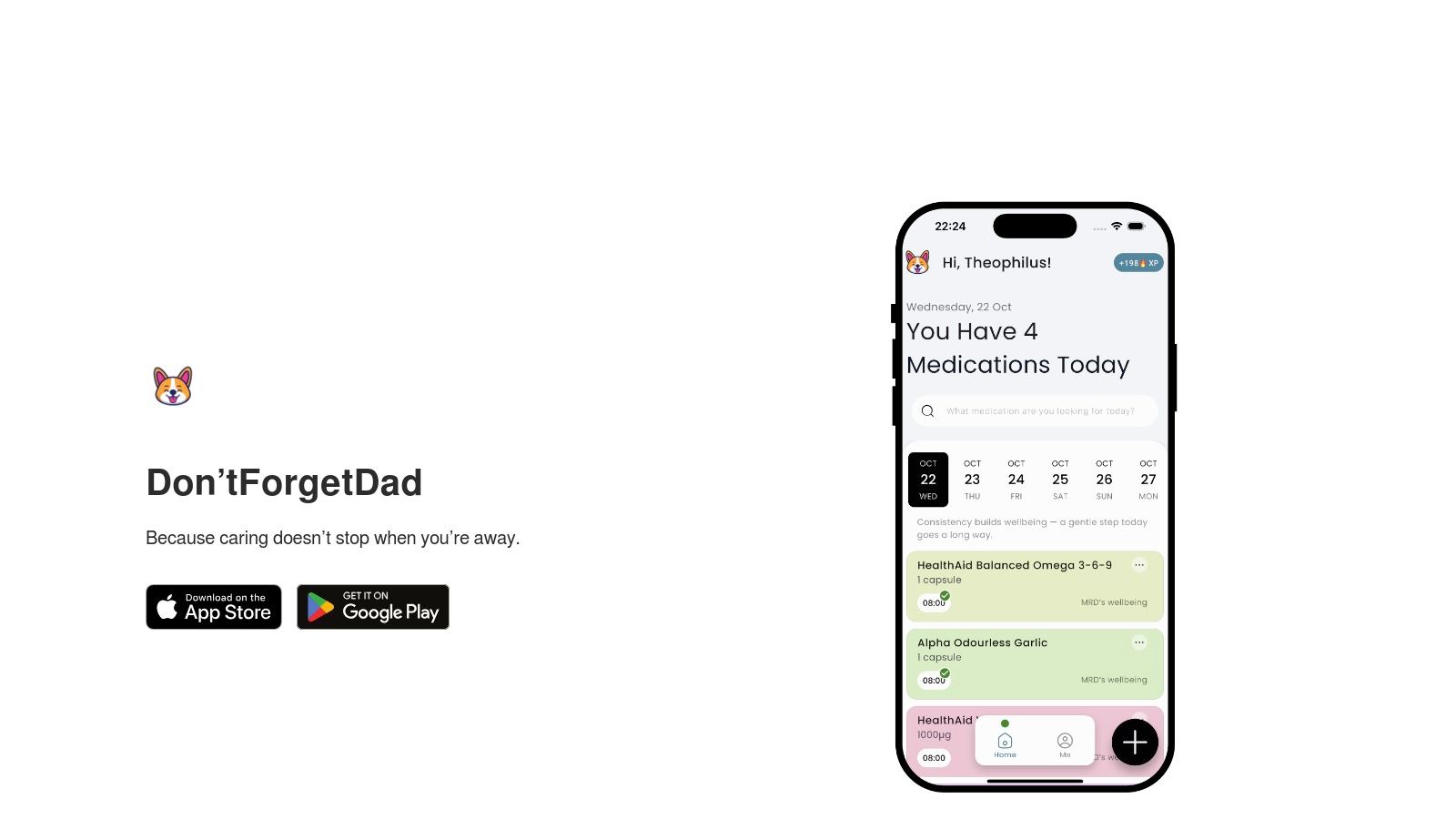
The app shines with its private, profile-based system. You create a profile for your loved one, and family members can join that specific circle using a unique code—no need to share passwords. The real magic is its notification system: gentle reminders are sent to the person receiving care first. Only if a dose is missed does the app send an alert to the wider care team. This small feature prevents unnecessary nagging while ensuring someone can follow up when needed, fostering both independence and safety.
Key Strengths & Use Cases
- Collaborative by Design: The unique join codes make it easy to include siblings, partners, and even home health aides. This means no more confusing group texts trying to figure out who checked in last.
- Intelligent Notifications: The two-step alert system respects your loved one's autonomy while providing a reliable safety net. It can significantly reduce those "just checking in" calls that can sometimes feel intrusive.
- Simple and Accessible: The screen is clean and easy to read, designed for users who may not be tech-savvy. Setting up a medication schedule takes just a few minutes. Learn more about the mission behind Don’tForgetDad to understand its family-first approach.
Considerations
Don’tForgetDad focuses on coordination and reminders rather than complex medical data. If you need to track drug interactions or connect with a pharmacy system, you might want to pair it with a more specialized medical app. Additionally, pricing details are not listed on the main site, so you will need to visit the website for current plans.
Website: https://dontforgetdad.com
2. MSAA – My MS Manager (official app hub)
The Multiple Sclerosis Association of America (MSAA) offers a trusted central place for their free, secure app, My MS Manager. This website is the official source for learning about the app's features, finding helpful articles, and getting direct download links for both iPhones and Android phones. It stands out because it's backed by a major MS nonprofit, which gives you confidence that the tool is designed with the community's real needs in mind.
Think of this website as the front door to a powerful health management tool. The app itself helps you keep a detailed diary of symptoms, treatments, mood, and fatigue. It then turns this information into charts and reports you can securely share with your healthcare team. This is incredibly helpful for doctor's appointments. For example, instead of trying to remember how you felt three weeks ago, you can show your doctor a clear, data-backed overview of your health trends.
While the app doesn't have the social community features of others, its strength is its focus on health tracking and data privacy. It’s an excellent, no-cost tool for individuals and caregivers who want a straightforward way to monitor health and have more productive conversations with doctors.
Platform at a Glance:
| Feature | Details |
|---|---|
| Best For | Individuals wanting a free, clinically focused tracker backed by a trusted MS organization. |
| Cost | Completely free. |
| Key Features | Symptom/treatment/mood tracking, HIPAA-compliant data, clinician report sharing, educational resources. |
| Pros | Free, backed by MSAA, secure clinician-sharing workflow is built-in. |
| Cons | Primarily a tracking tool without social features; interface updates can be infrequent. |
| Website | https://mymsaa.org/msaa-community/mobile/ |
3. Apple App Store – My MS Manager (iOS)
For iPhone and iPad users, the official Apple App Store is the most direct and secure way to install the My MS Manager app. This page is the dedicated spot for the iOS version, giving you immediate access to the download button. It’s helpful because it offers important information before you even install it, like user reviews from other people with MS, update history, and Apple’s detailed App Privacy report, which tells you exactly how your information is handled.
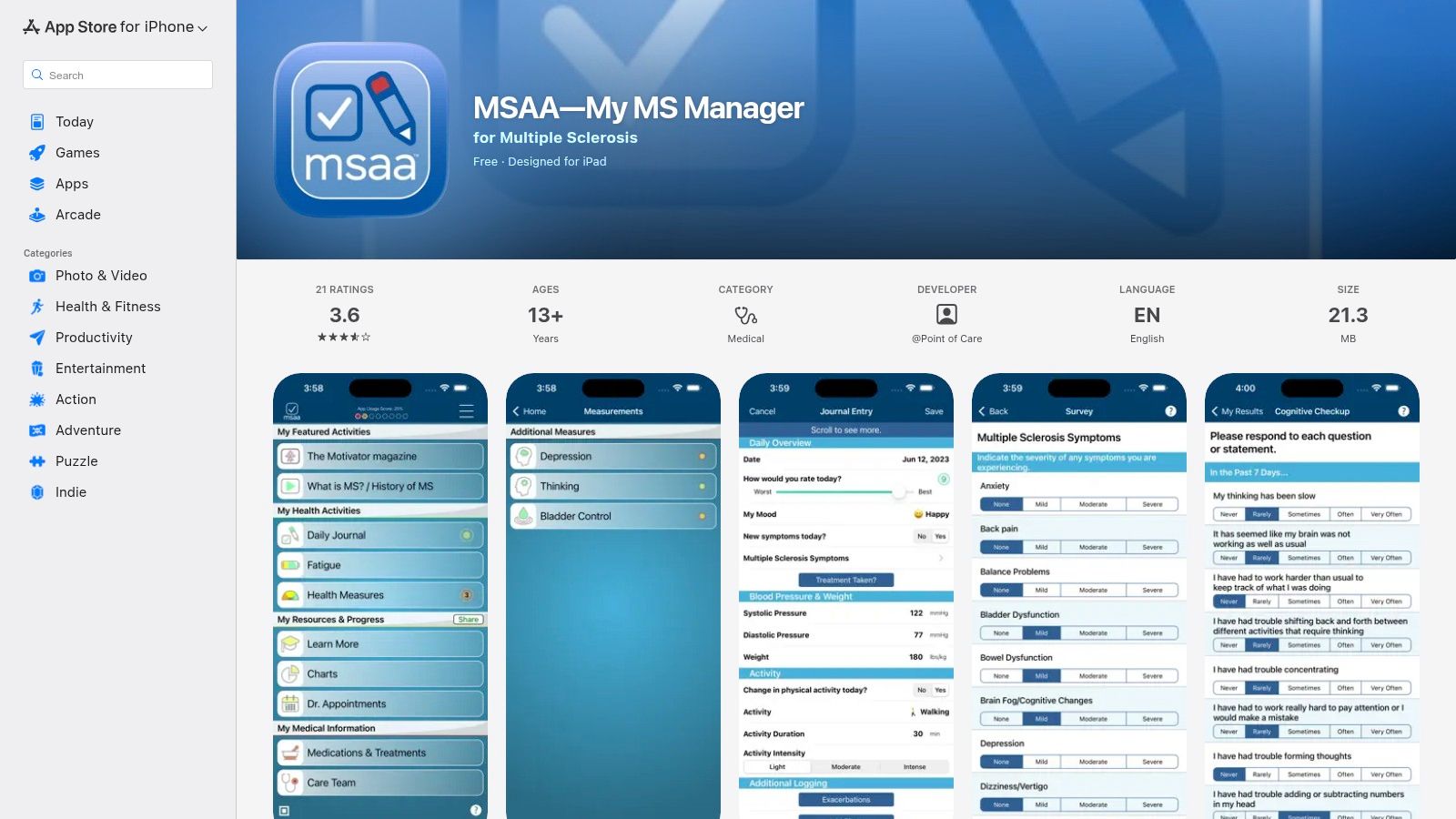
Downloading from here provides peace of mind, as you know you're getting the verified application directly from Apple. While the App Store page itself doesn't offer the broader educational articles found on the MSAA website, it excels at being transparent and convenient. You can quickly see what’s new in the latest version, ensuring you benefit from recent improvements. It’s the essential, no-frills starting point for getting one of the most trusted MS tracking apps onto your Apple device. Note that Android users will need a different approach; for more information on that platform, you can explore resources for Android devices.
Platform at a Glance:
| Feature | Details |
|---|---|
| Best For | iPhone/iPad users wanting a fast, secure installation and to review privacy details upfront. |
| Cost | Completely free. |
| Key Features | Direct download for iOS, App Privacy disclosures, user ratings and reviews, version update history. |
| Pros | Fast, official install path on iOS; clear privacy and version info available before download. |
| Cons | iOS-only listing; App Store page doesn’t provide broader MS educational resources. |
| Website | https://apps.apple.com/us/app/msaa-my-ms-manager/id423081614 |
4. BelongMS – official website
The official website for BelongMS is the main doorway to what they call the world's largest social and professional network for people with MS. The site explains how the app brings together support from peers with access to experts. It offers groups based on different topics where you can connect and share experiences. A standout feature is the moderated Q&A sessions with leading neurologists and MS specialists, held right within these community forums.

Beyond the community, the website talks about helpful organizational tools, like a digital binder for managing and sharing medical records with your care team. A unique feature it highlights is a clinical trial matching service, which uses smart technology to help you find research studies that might be a good fit. While the social feeds can sometimes feel busy, the combination of connecting with others, getting guidance from experts, and having practical tools makes this one of the most complete free apps for MS.
Platform at a Glance:
| Feature | Details |
|---|---|
| Best For | Individuals seeking a blend of active peer support, expert medical input, and clinical trial information. |
| Cost | Completely free. |
| Key Features | Moderated support groups, expert Q&As, digital medical binder, clinical trial matching, personalized content. |
| Pros | Active peer community plus expert input, free, described as HIPAA/GDPR-aligned. |
| Cons | Social feeds can be busy; requires account creation to fully engage with the community. |
| Website | https://ms.belong.life/ |
5. Apple App Store – BelongMS (iOS)
For iPhone and iPad users, the official Apple App Store listing for BelongMS is the most direct and secure way to download this popular community-focused app. This page is more than a download button; it’s a transparent resource where you can instantly check user ratings, read reviews from other people managing MS, and see the app’s version history. This helps you get a feel for what others think and see how often the app is improved.
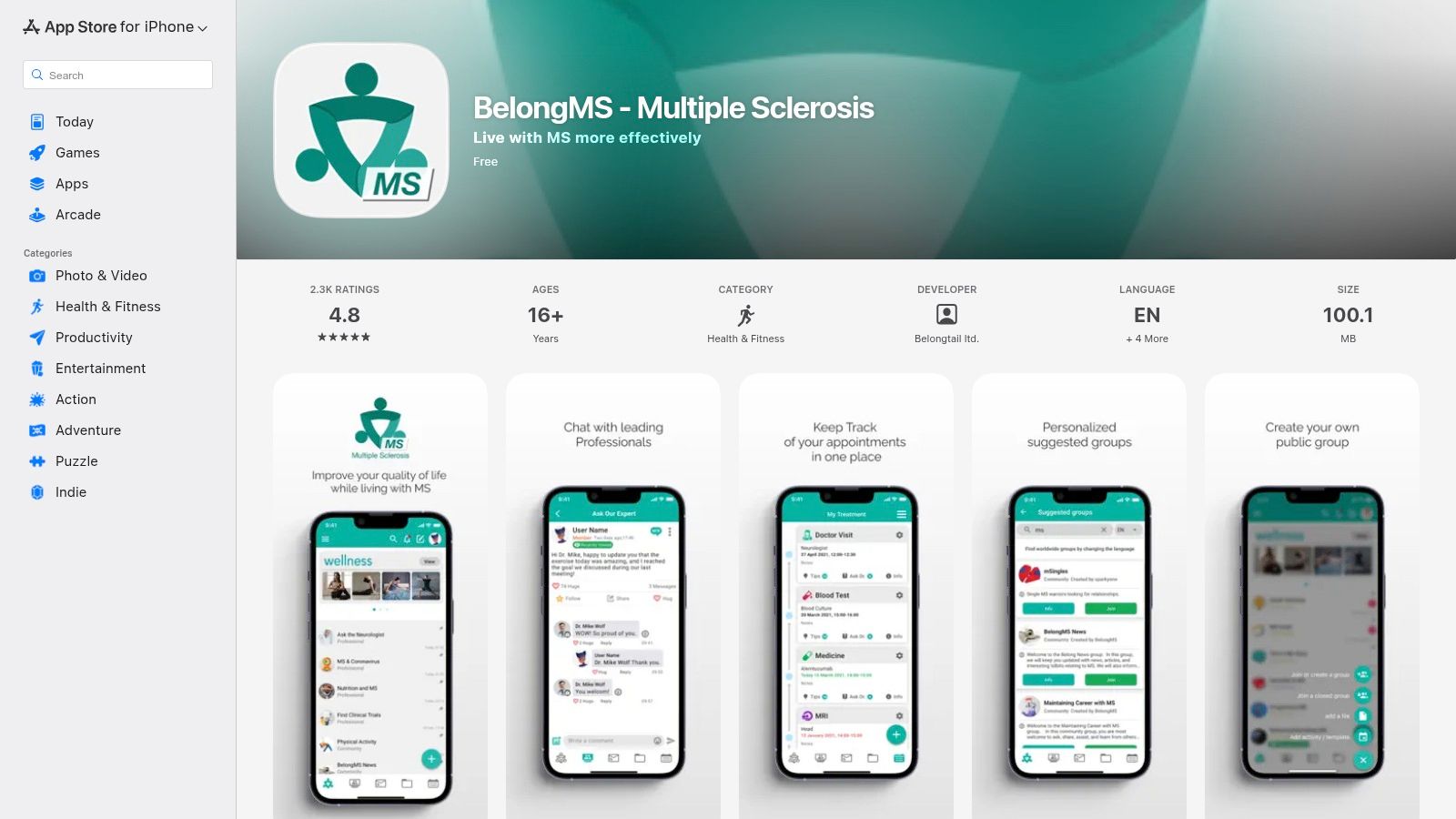
The BelongMS app itself connects you with a large network of peers, offering groups on specific topics and live Q&A sessions with MS experts. It also includes tools for tracking appointments and storing medical records right on your device. The App Store page is the crucial first step, providing the trust and security of Apple’s platform. It’s an essential stop for iOS users looking for one of the most comprehensive social and informational apps for MS available today.
The main benefit of getting it here is the built-in trust of the Apple ecosystem, ensuring a safe download and easy installation process.
Platform at a Glance:
| Feature | Details |
|---|---|
| Best For | iPhone/iPad users wanting a trusted, one-click installation of a community-rich MS app. |
| Cost | Free to download (app may have in-app purchases). |
| Key Features | Direct download, user ratings and reviews, app version history, Q&As with experts, peer support groups. |
| Pros | Trusted distribution via Apple, easy to see user ratings and update frequency, secure installation. |
| Cons | Listing is exclusive to iOS devices; community content quality can vary between discussion threads. |
| Website | https://apps.apple.com/us/app/belongms-multiple-sclerosis/id1481191689 |
6. Shift.ms – official app page
The official app page for Shift.ms is your entry into a global community designed for people to support each other. Run by a charity, this platform is built on the simple idea that no one should have to face an MS diagnosis alone. The website explains the app's core purpose: connecting you with others who truly understand the day-to-day realities of living with multiple sclerosis.
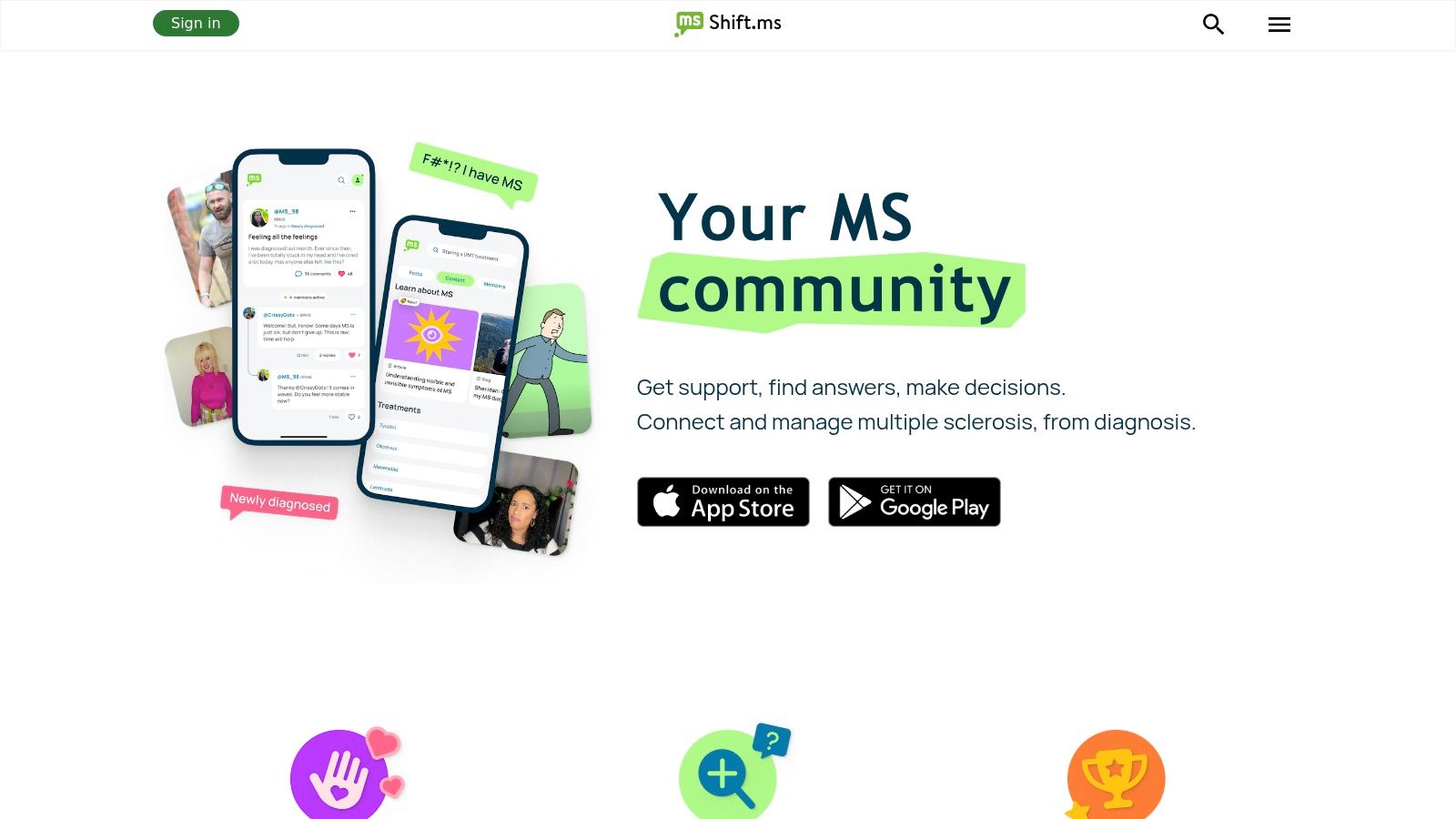
Unlike apps that track symptoms, Shift.ms focuses on emotional and social well-being. Its standout feature, the "Buddy Network," connects newly diagnosed people with experienced members for one-on-one guidance and reassurance. Imagine being able to ask questions to someone who has been through it before—that's what this network offers. The app works like a social network just for the MS community, with a live Q&A feed, personal stories, and private messaging, all in a safe, moderated space.
While it's not a tool for logging symptoms or medications, it is one of the most valuable apps for MS when it comes to mental health and finding a sense of belonging. It perfectly complements medical tracking apps by providing the crucial human connection that data alone cannot offer, making the journey feel less isolating.
Platform at a Glance:
| Feature | Details |
|---|---|
| Best For | Newly diagnosed individuals and anyone seeking genuine peer support and community. |
| Cost | Completely free. |
| Key Features | Buddy Network for 1:1 support, active community forum, private messaging, user stories. |
| Pros | Free and nonprofit-run, strong focus on peer connection, moderated for safety. |
| Cons | Not a medical or symptom tracker; community and resources can be UK-centric at times. |
| Website | https://shift.ms/app |
7. MS Buddy – official website
The official website for MS Buddy is the main information hub for this symptom tracking and wellness app made specifically for MS. Developed by and for people with MS, the platform clearly explains the app's core mission: to provide a tool that understands the unique challenges of the condition. The site shows its detailed logging features and provides direct links for both mobile and web app access, so you can use it wherever is most convenient for you.
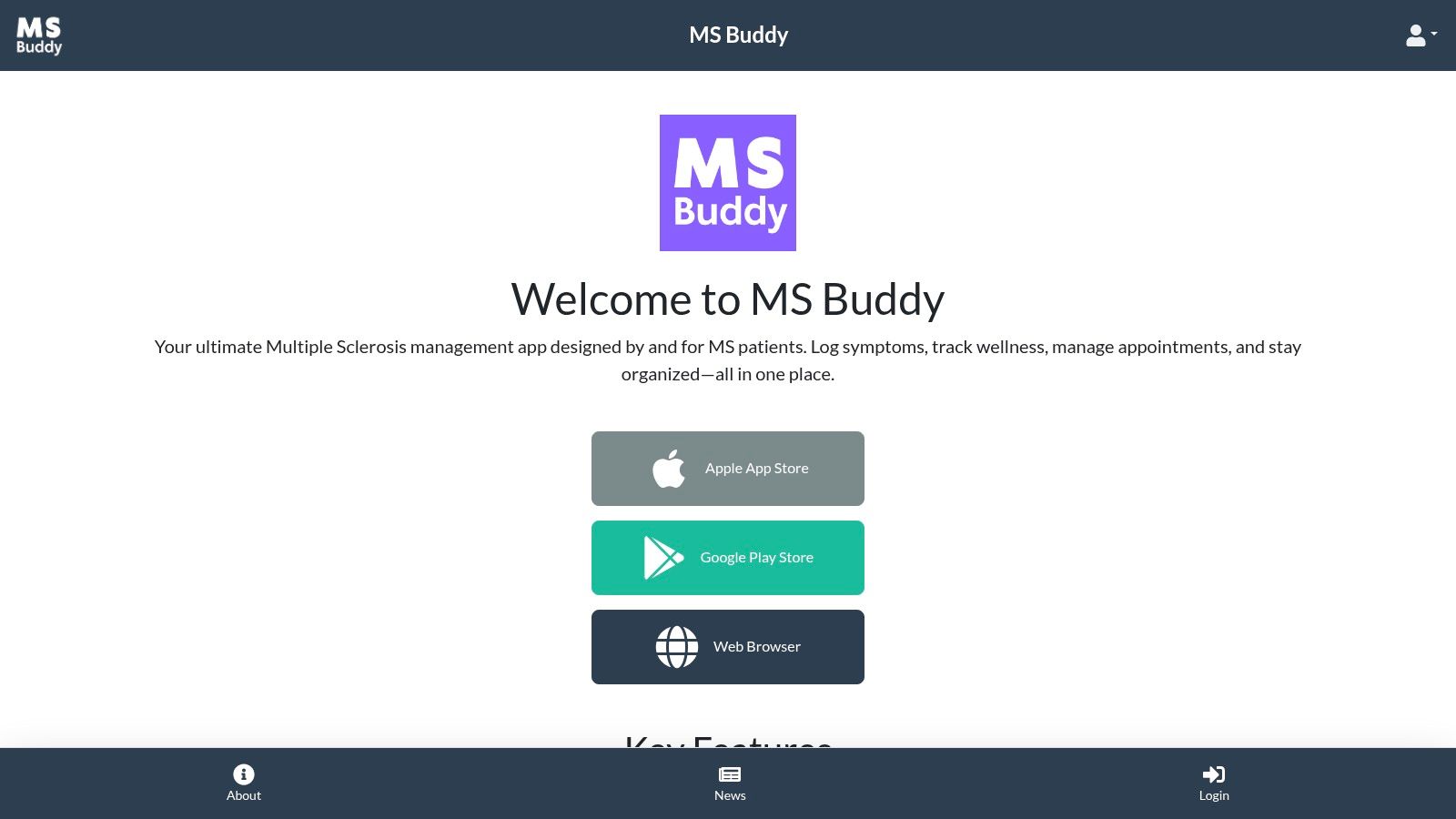
What makes this app noteworthy is its focus on detailed, MS-centric tracking. It allows you to log symptoms with specifics like intensity, how it feels, and how long it lasts, which is key for identifying patterns. For instance, you might notice that your fatigue is worse on days you don't sleep well. It also integrates appointment and medication reminders alongside goal tracking to support a whole-person wellness approach. All this data can be turned into doctor-ready reports, transforming your lived experience into organized information that can lead to more effective conversations with your doctor.
As one of the newer apps for MS, it offers a fresh perspective but has fewer long-term user reviews. Its strength is its specialized design and availability on multiple platforms, making it a great choice for those who want a flexible and highly detailed daily health log.
Platform at a Glance:
| Feature | Details |
|---|---|
| Best For | Individuals seeking detailed, MS-specific symptom logging with flexible web and mobile access. |
| Cost | Free. |
| Key Features | Granular symptom logging (intensity, feel, duration), appointment/medication reminders, goal tracking, exportable doctor reports. |
| Pros | Designed specifically for MS workflows, available on both mobile and web for easy access. |
| Cons | Newer app with fewer user reviews; Android link on the site may require checking for updates. |
| Website | https://mymsbuddy.com/about |
8. Apple App Store – My MS Buddy (iOS)
The official Apple App Store listing for My MS Buddy is the main doorway for iPhone and iPad users to download this dedicated MS management app. This page is more than just an install button; it provides important information on the latest updates, notes from the developer, and user privacy policies. It's the most direct and secure way for those in the Apple ecosystem to get the tool and stay informed about its ongoing improvements.
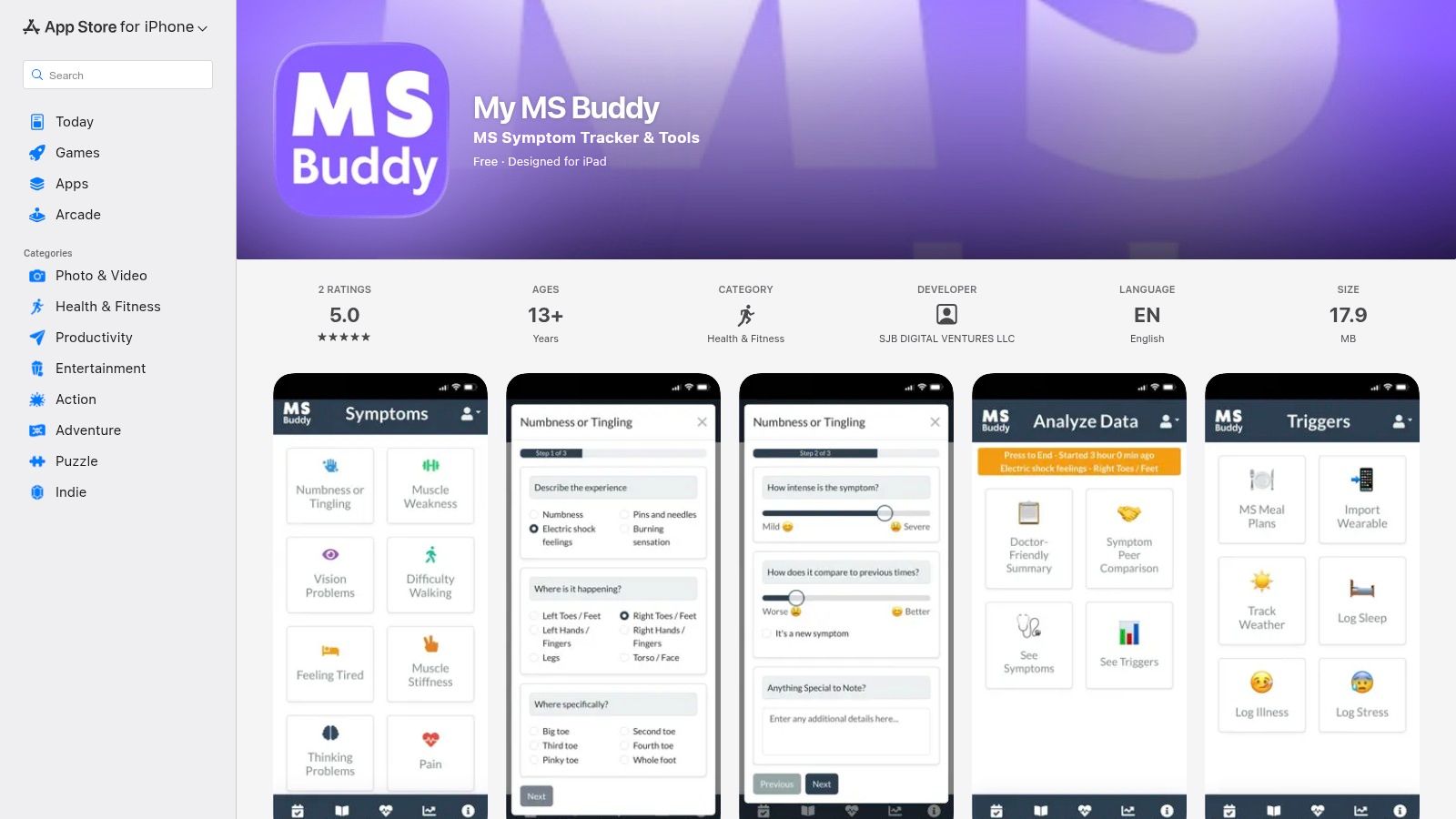
This page gives you a transparent look at the app before you download, with screenshots and a summary of its main functions. My MS Buddy focuses on tracking symptoms and infusions, medication reminders, and the ability to create health reports for doctors, which can be invaluable for appointments. It can also connect with Apple's HealthKit, which brings in data like your daily steps or sleep patterns automatically, giving you a fuller picture of your well-being without extra work.
While the app itself is a newcomer, its presence on the App Store ensures a simple, secure installation and update process. It is an excellent starting point for iOS users looking for a straightforward, free tool to begin tracking their MS journey and creating data-driven summaries for their care team.
Platform at a Glance:
| Feature | Details |
|---|---|
| Best For | iPhone and iPad users looking for a free, straightforward MS tracker with easy installation and updates. |
| Cost | Completely free. |
| Key Features | Symptom/infusion tracking, medication reminders, HealthKit integration, exportable reports for clinicians. |
| Pros | No paywall for core features, easy install and updates via the trusted App Store, clear MS-oriented design. |
| Cons | Listing is iOS only; has a relatively small number of App Store reviews to date. |
| Website | https://apps.apple.com/us/app/my-ms-buddy/id6737527372 |
9. Floodlight MS – official site (Roche)
Developed by the life-sciences company Roche, Floodlight MS offers a different approach to MS management. The official website introduces this science-based app, which aims to provide objective measurements of key MS functions. It’s designed to go beyond just writing down how you feel by actively measuring things like thinking skills, hand function, and walking ability through short, game-like tests.
This website is the information hub for understanding the app's method, finding user guides, and checking its availability. The app itself turns your smartphone into a sophisticated assessment tool. For example, it might ask you to draw shapes on the screen or measure your walking pace. This objective data can be shared with your neurologist to help paint a clearer picture of how things are going between clinic visits, adding valuable information to your personal symptom diary.
While many apps for MS focus on self-reported feelings, Floodlight's strength is its data-driven core. However, access can be a hurdle, as it's often made available through participating healthcare providers or research studies rather than a direct public download. This makes it a powerful but potentially less accessible option for some.
Platform at a Glance:
| Feature | Details |
|---|---|
| Best For | Individuals seeking to contribute objective, functional data to their clinical discussions. |
| Cost | Free, but access is often via participating clinics or research studies. |
| Key Features | Standardized tests (cognition, hand, walking), personal journal, clinician-shareable results, medical device documentation. |
| Pros | Backed by a major life-sciences company, provides objective functional measures, potential for clinical validation. |
| Cons | Availability may be limited to specific clinics/partners; setup can be more involved than consumer apps. |
| Website | https://floodlightms.com/en_au/home.html |
10. MS sherpa (iOS)
For those focused on monitoring specific, concrete changes between neurologist visits, MS Sherpa offers a unique approach. This iOS-based app serves as a personal data-gathering tool, using your phone’s built-in sensors to conduct short, repeatable tests. It’s designed to provide real data points on key MS-related functions, helping you measure changes that can sometimes feel hard to describe.
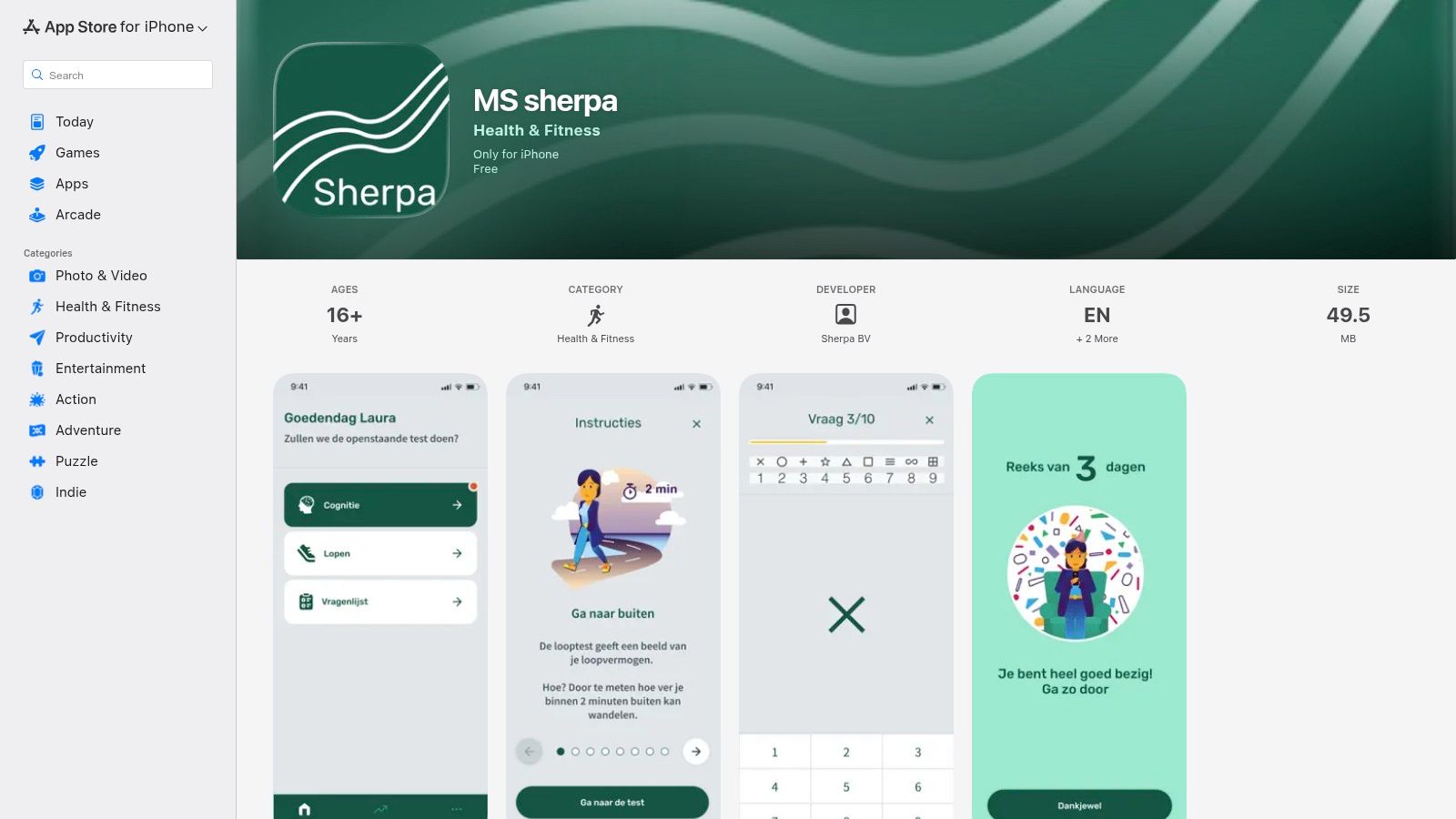
The app’s main features include a timed walking test, a cognitive processing speed test, and brief daily questionnaires. So, instead of just logging a feeling of "sluggishness," you can complete the test and see a concrete measurement. Over time, MS Sherpa creates clear charts showing your trends, making it much easier to show your healthcare team how your mobility or thinking speed has shifted since your last appointment.
While its narrow focus on testing isn't for everyone, MS Sherpa is excellent at what it does. It's a great tool among the available apps for MS for anyone who wants a more data-driven way to track their functional changes, turning abstract symptoms into measurable trends that can inform care conversations.
Platform at a Glance:
| Feature | Details |
|---|---|
| Best For | Individuals who want to track specific mobility and cognitive functions with objective tests. |
| Cost | Free. |
| Key Features | In-app walking test, cognitive processing speed test, daily impact questionnaires, trend visualization. |
| Pros | Simple, targeted tests; provides clear, data-driven visualizations of mobility and cognition trends. |
| Cons | iOS-only; some content is EU-localized, and US support details are limited. |
| Website | https://apps.apple.com/us/app/ms-sherpa/id1660569618 |
11. CareClinic – official website
CareClinic’s website introduces a highly flexible general health tracking app that has become a powerful tool for many in the MS community. While not built only for MS, its strength is how much you can customize it. The app is designed as an all-in-one health journal, allowing you to create personal trackers for the specific symptoms, treatments, and lifestyle factors that matter most to you—from fatigue levels and brain fog to medication side effects.
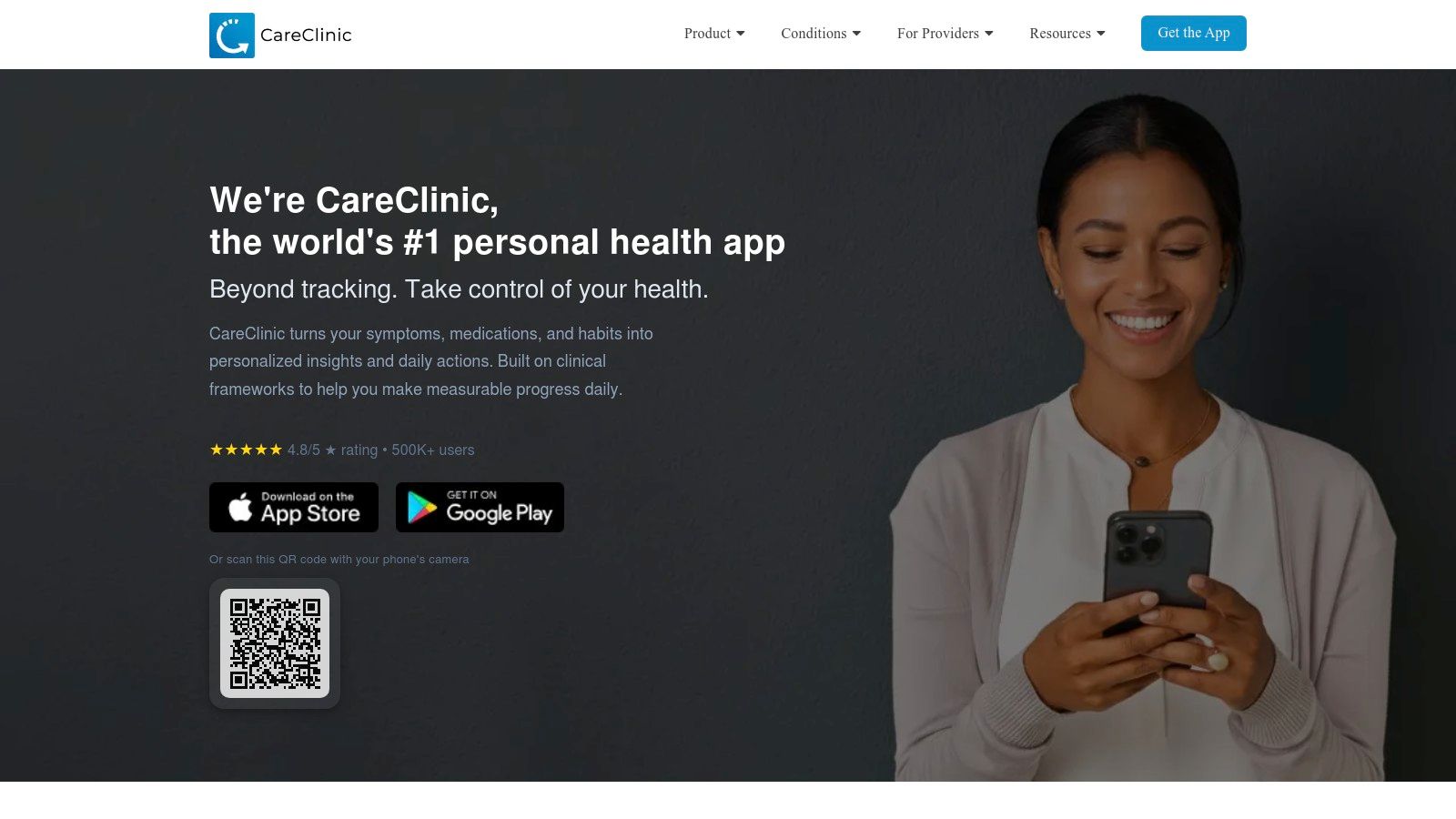
The site explains how the app can connect with wearables (like a Fitbit or Apple Watch) and other health platforms, bringing all your data together automatically. This is especially useful for seeing connections—for example, how a poor night's sleep (tracked by your watch) might affect your symptoms the next day. The ability to create detailed reports with graphs makes it one of the most helpful apps for MS when preparing for a doctor’s appointment, turning your daily notes into clear information.
Though it requires some initial setup to tailor it for MS, its flexibility is its greatest asset. The free version is quite useful, but a subscription is often needed to unlock its full potential. It's a great option for those who want to manage MS alongside other health conditions in a single, organized place.
Platform at a Glance:
| Feature | Details |
|---|---|
| Best For | Tech-savvy individuals who want a single, highly customizable app to track MS alongside other health data. |
| Cost | Free basic version; Premium subscription required for full features (monthly/annual plans available). |
| Key Features | Customizable trackers, Apple Health/Google Fit integration, caregiver sharing, exportable PDF/graph reports, medication reminders. |
| Pros | Versatile all-in-one tracking, cross-platform availability, regularly updated with new features. |
| Cons | Not MS-specific so requires user customization; full feature set needs a paid subscription. |
| Website | https://careclinic.io/ |
12. Medisafe – official website
While not built just for Multiple Sclerosis, the website for Medisafe introduces one of the best medication reminder apps available, making it a critical tool for managing complex MS treatment plans. The site explains how its award-winning app helps you handle everything from major therapies to various symptom-management medications. It stands out by focusing purely on making sure you take your medicine, offering powerful, customizable reminders and safety features like drug interaction warnings.
The website explains its core "Medfriend" feature, which lets a family member or caregiver receive a notification if a dose is missed. This provides a crucial layer of support. For a caregiver, it means you don't have to constantly ask, "Did you remember?"—the app will let you know if help is needed. This function aligns perfectly with the goal of shared caregiving responsibility, which you can learn more about by exploring tips for family caregivers.
Medisafe’s strength is that it works for anyone and has deep features for medication management, a common challenge for many. Although it doesn't have MS-specific articles or community forums, it excels at its primary job: ensuring you never miss a dose. It’s an ideal companion to other apps for MS that focus on symptom tracking, creating a complete digital health toolkit.
Platform at a Glance:
| Feature | Details |
|---|---|
| Best For | Anyone needing a powerful, dedicated tool for managing complex MS medication schedules with caregiver support. |
| Cost | Free with a premium subscription available for advanced features. |
| Key Features | Dosing/refill reminders, drug interaction warnings, caregiver "Medfriend" notifications, shareable adherence reports. |
| Pros | Mature, reliable platform with HIPAA/GDPR compliance, easily integrates into a broader MS management strategy. |
| Cons | Not MS-specific, so it lacks educational resources or community features for the condition. |
| Website | https://medisafeapp.com/ |
12 MS Apps — Quick Comparison
| Product | Core features | Collaboration & notifications | Target audience | Key differentiator | Price & availability |
|---|---|---|---|---|---|
| Don’tForgetDad | Profile-based reminders; unique join codes; missed-dose alerts | Family join codes; gentle nudges; escalation to caregivers on missed tasks | Adult children, family & professional caregivers, seniors | Privacy-first, family-centered UX; simple setup — Recommended | Plans not shown on site; check website/contact team |
| MSAA – My MS Manager (official page) | Symptom, treatment, mood & fatigue tracking; reports | HIPAA-compliant; clinician report sharing | People with MS and care partners | Nonprofit-backed, clinician-sharing workflow | Free (per MSAA) — download links on site |
| Apple App Store – My MS Manager (iOS) | Symptom & medication tracking; reminders; version/privacy info | Shareable reports; iOS install path | iPhone/iPad users with MS | Official App Store listing with privacy & update details | Free on App Store |
| BelongMS – official website | Moderated support groups; digital medical binder; trial matching | Peer + expert Q&As shareable records | People with MS and caregivers seeking community | Active moderated peer community; ML-driven trial matching | Free (per site) |
| Apple App Store – BelongMS (iOS) | Community groups; appointment tracking; push notifications | Topic groups; expert Q&As via app | iOS users seeking MS community/support | App Store distribution; visible ratings & updates | Free on App Store |
| Shift.ms – official app page | Live feed Q&A private messaging; user stories/videos | Buddy Network for 1:1 peer support; moderation | Newly diagnosed and peer-support seekers | Charity-run community with Buddy safeguards | Free (per site) |
| MS Buddy – official website | Granular symptom logging; reminders; exportable doctor reports | Multi-platform access; clinician-ready exports | Users wanting detailed MS symptom tracking | MS-specific, detailed logging and clinician reports | Check site (availability may vary) |
| Apple App Store – My MS Buddy (iOS) | Symptom tracking; HealthKit import; exportable reports | Clinician exports; iOS install & update notes | iPhone/iPad users needing MS-focused tracker | HealthKit integration; MS-oriented features | Free (per App Store listing) |
| Floodlight MS – official site (Roche) | Standardized functional tests: cognition, hand, walking; journals | Clinician-shareable objective measures; medical device docs | Clinic-referred patients, researchers, clinicians | Clinically validated, Roche-backed objective tests | Often via clinics/partners — availability varies |
| MS sherpa (iOS) | Phone-based walking & cognitive tests; daily impact questionnaires | Trend visualizations for mobility & cognition | Users monitoring mobility/cognition between visits | Simple, repeatable functional tests for home monitoring | iOS App Store — check listing |
| CareClinic – official website | Customizable trackers; Apple Health/Google Fit integrations; reminders | Caregiver sharing; exportable PDF/graph reports | Users needing flexible cross-condition tracking | Highly customizable, cross-platform integrations | Freemium; premium features require subscription |
| Medisafe – official website | Complex dosing & refill reminders; interaction warnings; reports | Caregiver “Medfriend” notifications; adherence reports | People managing complex medication regimens | Mature user base; medication-focused features | Freemium; some advanced features behind premium tier |
Finding Your Perfect Fit and Taking the First Step
Navigating the world of MS often means juggling an overwhelming amount of information—from symptoms and medications to appointments and daily routines. We've walked through a list of digital tools designed to bring a little order to this complexity. Each of the apps for MS we explored offers a unique way to regain a sense of control and build a stronger support system.
From the detailed health logging of My MS Manager to the vital community connection found in apps like BelongMS and Shift.ms, the central theme is clear: you don't have to manage this journey alone. Technology can be a wonderful ally, turning scattered notes into clear data for your doctor and transforming individual tasks into shared, collaborative care.
How to Choose the Right App for You
Feeling overwhelmed by the options is completely normal. The goal isn't to download every app, but to choose the one or two that solve your most pressing challenges right now. Think of it as building a personalized digital care toolkit.
To find your perfect fit, ask yourself these simple questions:
- What is my biggest daily challenge? If it’s remembering medications and coordinating help from family, a simple, focused tool like Don’tForgetDad is a great place to start. If it's tracking changing symptoms to prepare for a doctor's visit, a dedicated MS tracker like My MS Manager might be more helpful.
- Who needs to be involved? Some apps are designed for you to use alone, while others are built to connect a care circle. If you are coordinating with siblings, your partner, or professional aides, choose an app made for teamwork.
- How much time do I have? Be realistic. If you're already stretched thin, a complex app with dozens of features may become another chore. Sometimes, the best tool is the one that is simplest to use every day.
Your Actionable Next Step
The most important takeaway is to just begin. You don't need the perfect system from day one. Progress is about taking small, manageable actions that lighten your mental load over time.
Your task for today is simple: choose just one app from this list that speaks to your most immediate need. Install it on your phone, spend 15 minutes exploring it, and try using it for one week. See how it feels. Does it reduce your stress? Does it make communication easier? Does it help you feel more organized?
Building a support system is a marathon, not a sprint. By picking one tool and making it part of your routine, you are taking a powerful step toward creating more ease and connection in your care journey. You are not just downloading an app; you are investing in a more supported future for yourself and your loved ones.
If your main challenge is coordinating shared responsibilities like medication reminders, a small actionable tip is to start there. Consider an app like Don’tForgetDad. It was designed specifically for families to work together, turning caregiving anxiety into simple, collaborative teamwork. Learn how Don’tForgetDad can bring your family's care efforts together today.